

फ़ोटो सुरक्षित रूप से कैसे शेयर करें (प्राइवेसी खोए बिना)
फ़ोटो सुरक्षित भेजने के 5 तरीकों की तुलना: Signal, iMessage, AirDrop, क्लाउड लिंक और एन्क्रिप्टेड तिजोरी साझेदारी।
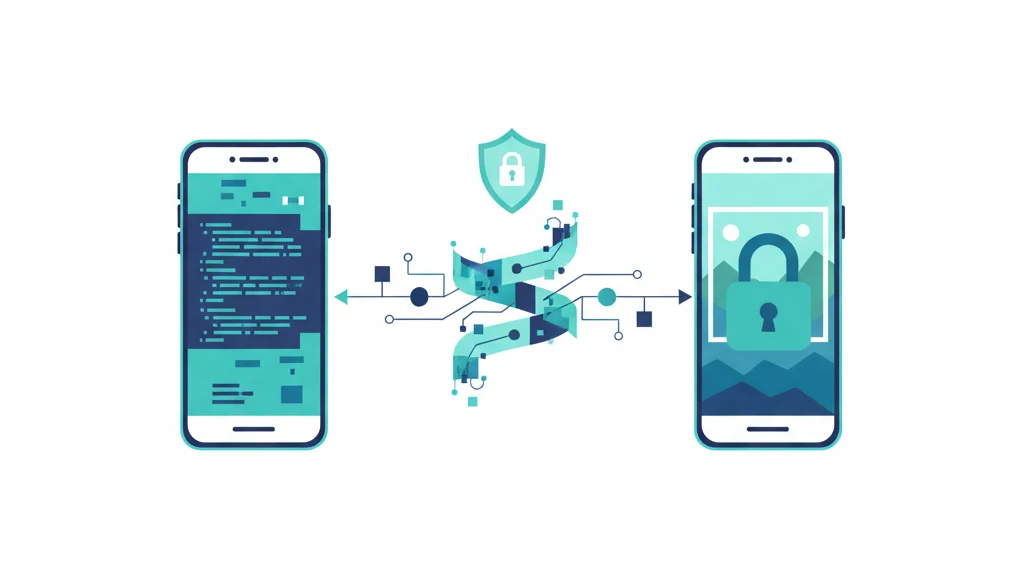
आप फ़ोटो एंड-टू-एंड एन्क्रिप्टेड मैसेजिंग (Signal, iMessage, WhatsApp), पासवर्ड वाले क्लाउड लिंक, या पहुँच नियंत्रण वाली एन्क्रिप्टेड तिजोरी साझेदारी से सुरक्षित शेयर कर सकते हैं। सही तरीका आपके ख़तरे पर निर्भर करता है: आप किससे बचाव कर रहे हैं, क्या शेयर करने के बाद आपको पहुँच वापस लेनी पड़ सकती है, और क्या पाने वाले को फ़ोटो लंबे समय तक रखनी हैं। यह गाइड हर बड़े तरीके को समझाती है, उनके एन्क्रिप्शन मॉडल की तुलना करती है, और हर एक के फ़ायदे-नुकसान बताती है।
आम तरीके से फ़ोटो शेयर करने की समस्या
जब आप आम रास्तों से फ़ोटो भेजते हैं, जैसे ईमेल, SMS, सोशल मीडिया DM या बिना एन्क्रिप्शन वाले क्लाउड लिंक, तो फ़ोटो ऐसे सर्वरों से गुज़रती है जो उसे पढ़ सकते हैं। ईमेल कंपनियाँ अटैचमेंट देख सकती हैं। SMS वाली फ़ोटो एन्क्रिप्ट नहीं होतीं। सोशल मीडिया प्लेटफ़ॉर्म अपने सर्वरों पर कॉपी रखते हैं। क्लाउड शेयरिंग लिंक क्लाउड कंपनी की पहुँच में रहते हैं।
शेयर करते ही आपका नियंत्रण ख़त्म हो जाता है। पाने वाला आपकी फ़ोटो का स्क्रीनशॉट ले सकता है, उसे आगे भेज सकता है, सेव कर सकता है और किसी के भी साथ शेयर कर सकता है। ऐसा कोई "अनसेंड" नहीं है जो सच में काम करे। मैसेज डिलीट करने की सुविधा वाले ऐप भी स्क्रीनशॉट या कैमरा रोल में सेव की गई फ़ोटो वापस नहीं ला सकते।
सुरक्षित फ़ोटो शेयरिंग दो समस्याएँ हल करती है: भेजते समय फ़ोटो को बचाना (एन्क्रिप्शन), और पहुँचने के बाद नियंत्रण बनाए रखना (पहुँच प्रबंधन)।
तरीका 1: एंड-टू-एंड एन्क्रिप्टेड मैसेजिंग
Signal
Signal एंड-टू-एंड एन्क्रिप्शन के लिए Signal Protocol इस्तेमाल करता है। Signal से भेजी गई फ़ोटो आपके डिवाइस पर एन्क्रिप्ट होती हैं और सिर्फ़ पाने वाले के डिवाइस पर डिक्रिप्ट होती हैं। Signal के सर्वर कभी असली सामग्री नहीं देखते।
एन्क्रिप्शन: Signal Protocol (Double Ratchet, X3DH की एक्सचेंज)। फ़ोटो CBC मोड में AES-256 और HMAC प्रमाणीकरण से एन्क्रिप्ट होती हैं।
ख़ूबियाँ: ओपन-सोर्स, स्वतंत्र रूप से ऑडिट किया गया, कोई मेटाडेटा संग्रह नहीं, गायब होने वाले मैसेज का विकल्प, कुछ प्लेटफ़ॉर्म पर स्क्रीनशॉट की सूचना।
सीमाएँ: पाने वाले को फ़ोटो मिलते ही वह उसके डिवाइस पर डिक्रिप्ट हो जाती है। वह स्क्रीनशॉट ले सकता है, सेव कर सकता है या आगे भेज सकता है। गायब होने वाले मैसेज दोनों डिवाइस से मिट जाते हैं, पर मिटने से पहले लिए गए स्क्रीनशॉट नहीं रोक सकते। जब तक बातचीत मौजूद है, फ़ोटो दोनों डिवाइस पर खुले रूप में रहती है।
iMessage
iMessage Apple डिवाइस के बीच मैसेज के लिए एंड-टू-एंड एन्क्रिप्शन इस्तेमाल करता है। iMessage से भेजी गई फ़ोटो रास्ते में एन्क्रिप्टेड रहती हैं, और कुंजियाँ डिवाइस पर ही सँभाली जाती हैं।
एन्क्रिप्शन: की एक्सचेंज के लिए RSA-1280 और ECDSA P-256, मैसेज एन्क्रिप्शन के लिए CTR मोड में AES-128।
ख़ूबियाँ: हर iPhone में पहले से मौजूद। कोई अलग ऐप नहीं चाहिए। कैमरा रोल के साथ सहज जुड़ाव।
सीमाएँ: अगर पाने वाले के पास Apple डिवाइस नहीं है, तो iMessage SMS पर चला जाता है, और SMS बिल्कुल एन्क्रिप्ट नहीं होता। iCloud मैसेज बैकअप (डिफ़ॉल्ट रूप से चालू) मैसेज Apple के सर्वरों पर रखता है। एडवांस डेटा सुरक्षा के बिना iCloud बैकअप की कुंजियाँ Apple के पास रहती हैं, यानी Apple बैकअप से iMessage की सामग्री तक पहुँच सकता है।
WhatsApp मैसेज और मीडिया के एंड-टू-एंड एन्क्रिप्शन के लिए Signal Protocol इस्तेमाल करता है।
एन्क्रिप्शन: Signal Protocol। तकनीकी आधार Signal जैसा ही।
ख़ूबियाँ: बहुत बड़ा यूज़र आधार (2 अरब से ज़्यादा लोग)। E2EE डिफ़ॉल्ट रूप से चालू।
सीमाएँ: Meta की मिल्कियत। मैसेज की सामग्री एन्क्रिप्टेड होने पर भी WhatsApp मेटाडेटा इकट्ठा करता है: आप किसे मैसेज करते हैं, कब, कितनी बार, आपका फ़ोन नंबर, संपर्क सूची और ग्रुप सदस्यता। WhatsApp का क्लाउड बैकअप (iCloud या Google Drive पर) डिफ़ॉल्ट रूप से एंड-टू-एंड एन्क्रिप्टेड नहीं है। Meta की कमाई विज्ञापन से होती है, और मेटाडेटा का व्यावसायिक मूल्य है।
तुलना: E2EE मैसेजिंग
| सुविधा | Signal | iMessage | |
|---|---|---|---|
| डिफ़ॉल्ट रूप से E2EE | हाँ | हाँ (Apple से Apple) | हाँ |
| मेटाडेटा संग्रह | न्यूनतम (सिर्फ़ फ़ोन नंबर) | Apple इकोसिस्टम का डेटा | व्यापक (संपर्क, समय, बारंबारता) |
| क्लाउड बैकअप एन्क्रिप्टेड | लागू नहीं (कोई क्लाउड बैकअप नहीं) | सिर्फ़ ADP के साथ | ख़ुद चालू करना होता है |
| ओपन सोर्स | हाँ | नहीं | आंशिक रूप से |
| पहुँचने के बाद भेजने वाले का नियंत्रण | सिर्फ़ गायब होने वाले मैसेज | कोई नहीं | सिर्फ़ गायब होने वाले मैसेज |
| दूसरे प्लेटफ़ॉर्म पर | हाँ | सिर्फ़ Apple | हाँ |
तरीका 2: AirDrop (पास में, सिर्फ़ Apple)
AirDrop डिवाइस ढूँढने के लिए Bluetooth और फ़ाइल भेजने के लिए सीधा Wi-Fi कनेक्शन (पीयर-टू-पीयर) इस्तेमाल करता है। ट्रांसफ़र TLS से एन्क्रिप्टेड होता है।
ख़ूबियाँ: कोई सर्वर बीच में नहीं। फ़ोटो सीधे डिवाइस के बीच जाती हैं। न क्लाउड स्टोरेज, न कोई बिचौलिया। बड़ी फ़ाइलों के लिए तेज़।
सीमाएँ: सिर्फ़ Apple डिवाइस। पास होना ज़रूरी (Bluetooth की रेंज)। पाने वाले को पूरे रिज़ॉल्यूशन की फ़ोटो सारे मेटाडेटा के साथ मिलती है (EXIF डेटा, जिसमें GPS निर्देशांक, कैमरा मॉडल और तारीख़ शामिल हैं)। ट्रांसफ़र के बाद भेजने वाले का कोई नियंत्रण नहीं। अगर किसी का AirDrop "Everyone" पर है, तो पास का कोई भी उसे अनचाही फ़ाइलें भेज सकता है (Apple ने iOS 16.2 में "Contacts Only" को डिफ़ॉल्ट बनाया)।
इनके लिए सबसे अच्छा: जब आप किसी के साथ मौजूद हों और उसे पूरी फ़ाइल सौंपने पर भरोसा हो।
तरीका 3: पासवर्ड वाले क्लाउड लिंक
Dropbox, Google Drive और OneDrive जैसी सेवाएँ लिंक से फ़ाइलें शेयर करने देती हैं, जिन पर पासवर्ड लगाया जा सकता है और जिनकी समाप्ति तय की जा सकती है।
एन्क्रिप्शन: रास्ते में (TLS) और रखे जाने पर (कंपनी की सँभाली कुंजियों से)। एंड-टू-एंड एन्क्रिप्टेड नहीं। क्लाउड कंपनी फ़ाइलें देख सकती है।
ख़ूबियाँ: किसी के भी साथ काम करता है (कोई ऐप नहीं चाहिए)। पासवर्ड पहुँच नियंत्रण की एक परत जोड़ता है। समाप्ति तिथि शेयर करने की अवधि सीमित करती है।
सीमाएँ: एन्क्रिप्शन कुंजियाँ क्लाउड कंपनी के पास रहती हैं और वह फ़ाइल देख सकती है। पासवर्ड लिंक पर अनधिकृत पहुँच से बचाता है, कंपनी से नहीं। अगर लिंक पासवर्ड समेत आगे भेजा गया, तो कोई भी फ़ाइल खोल सकता है। डाउनलोड या स्क्रीनशॉट रोकने का कोई तरीका नहीं।
इनके लिए सबसे अच्छा: उन लोगों से शेयर करने के लिए जो आपका मैसेजिंग ऐप इस्तेमाल नहीं करते, जब कंपनी की पहुँच आपको मंज़ूर हो।
तरीका 4: एन्क्रिप्टेड ईमेल (PGP/S/MIME)
PGP या S/MIME एन्क्रिप्शन वाला ईमेल अटैचमेंट के लिए एंड-टू-एंड एन्क्रिप्शन देता है।
एन्क्रिप्शन: PGP (RSA/ECDH की एक्सचेंज, सामग्री के लिए AES-256) या S/MIME (RSA सर्टिफ़िकेट, AES-256)।
ख़ूबियाँ: अटैचमेंट के लिए असली E2EE। विकेंद्रीकृत (कुंजियाँ किसी एक कंपनी के नियंत्रण में नहीं)।
सीमाएँ: गैर-तकनीकी लोगों के लिए सेट करना बहुत कठिन। कुंजियाँ सँभालना जटिल है (पब्लिक की का आदान-प्रदान, कीरिंग रखना)। ज़्यादातर ईमेल ऐप डिफ़ॉल्ट रूप से PGP या S/MIME सपोर्ट नहीं करते। विषय पंक्ति और मेटाडेटा एन्क्रिप्ट नहीं होते। असल में सिर्फ़ उन्हीं लोगों के बीच काम का है जो पहले से PGP/S/MIME इस्तेमाल करते हैं।
इनके लिए सबसे अच्छा: उन तकनीकी लोगों के बीच शेयर करने के लिए जिनके पास पहले से PGP का इंतज़ाम है। ज़्यादातर लोगों के लिए व्यावहारिक नहीं।
तरीका 5: एन्क्रिप्टेड तिजोरी साझेदारी (भेजने वाले के नियंत्रण में)
एन्क्रिप्टेड तिजोरी साझेदारी एक नया तरीका है, जिसमें फ़ोटो एक एन्क्रिप्टेड कंटेनर के अंदर शेयर होती हैं और उस पर भेजने वाले का नियंत्रण रहता है।
Vaultaire की सुरक्षित साझेदारी ऐसे काम करती है: भेजने वाला एक साझा वाक्यांश (कुछ शब्दों का छोटा क्रम) बनाता है। पाने वाला साझा तिजोरी खोलने के लिए अपने डिवाइस पर Vaultaire में यह वाक्यांश डालता है। फ़ोटो रास्ते में भी एन्क्रिप्टेड रहती हैं और रखे जाने पर भी। Vaultaire अकाउंट या ईमेल की ज़रूरत नहीं, पर दोनों पक्षों के पास Vaultaire और iCloud अकाउंट होना चाहिए। साझा तिजोरी बनाने के लिए Pro चाहिए।
यह E2EE मैसेजिंग से कैसे अलग है:
| सुविधा | E2EE मैसेजिंग | एन्क्रिप्टेड तिजोरी साझेदारी |
|---|---|---|
| रास्ते में एन्क्रिप्टेड | हाँ | हाँ |
| रखे जाने पर एन्क्रिप्टेड | बैकअप सेटिंग पर निर्भर | हाँ (हमेशा) |
| पहुँच की अवधि भेजने वाला तय करता है | सिर्फ़ गायब होने वाले मैसेज | हाँ (समाप्ति तिथि) |
| खोलने की गिनती भेजने वाला तय करता है | नहीं | हाँ (खोलने की सीमा) |
| भेजने वाला सेव/एक्सपोर्ट रोक सकता है | नहीं | क्लाइंट की ओर से सर्वोत्तम प्रयास वाले नियंत्रण; स्क्रीनशॉट, बाहरी कैमरे या बदले हुए क्लाइंट के विरुद्ध लागू नहीं किए जा सकते |
| भेजने वाला पहुँच वापस ले सकता है | नहीं (एक बार पहुँच गया तो पहुँच गया) | हाँ (जब पाने वाले का ऐप अगली बार ऑनलाइन आता है) |
| एक ही ऐप ज़रूरी | हाँ (आम तौर पर) | हाँ |
| अकाउंट ज़रूरी | अलग-अलग | सिर्फ़ iCloud |
मुख्य फ़ायदा: शेयर करने के बाद भी नियंत्रण भेजने वाले के पास रहता है। समाप्ति तिथि तय करें, तिजोरी कितनी बार खुल सकती है यह सीमित करें, स्क्रीनशॉट और फ़ाइल एक्सपोर्ट रोकें, और कभी भी पहुँच वापस लें। पाने वाले का ऐप ये सीमाएँ लागू करता है। पहुँच वापस लेने पर एक फ़्लैग लगता है, और पाने वाले का ऐप अगली बार ऑनलाइन आने पर अपनी कॉपी मिटा देता है; यह डेटा को दोबारा एन्क्रिप्ट नहीं करता।
व्यावहारिक उपयोग:
- वकील के साथ कानूनी दस्तावेज़ शेयर करना (सीमित समय की पहुँच, वापस ली जा सकती है)
- किसी विशेषज्ञ डॉक्टर के साथ मेडिकल रिकॉर्ड शेयर करना (अपॉइंटमेंट के बाद समाप्त)
- पार्टनर के साथ संवेदनशील निजी फ़ोटो शेयर करना (एक्सपोर्ट पर रोक, वापस ली जा सकती है)
- किसी सहयोगी के साथ प्रोजेक्ट फ़ाइलें शेयर करना (नई फ़ाइलें अपने आप सिंक होती हैं)
- वसीयत या संपत्ति की योजना (किसी भरोसेमंद व्यक्ति के साथ तिजोरी की पहुँच शेयर करना, हालात बदलने पर वापस लेना)
आपको कौन-सा तरीका इस्तेमाल करना चाहिए?
| स्थिति | सबसे अच्छा तरीका | क्यों |
|---|---|---|
| किसी दोस्त को जल्दी से फ़ोटो | iMessage (Apple) या Signal | E2EE, तेज़, पहले से इंस्टॉल |
| एक ही कमरे में बैठे व्यक्ति को फ़ोटो | AirDrop | कोई सर्वर नहीं, सीधा ट्रांसफ़र, सबसे तेज़ |
| भरोसेमंद व्यक्ति को संवेदनशील फ़ोटो | गायब होने वाले मैसेज के साथ Signal | E2EE, न्यूनतम मेटाडेटा, अपने आप मिटना |
| वकील या डॉक्टर को दस्तावेज़ | एन्क्रिप्टेड तिजोरी साझेदारी | सीमित समय, वापस ली जा सकने वाली, एक्सपोर्ट पर नियंत्रण |
| ऐसी फ़ोटो जिनकी पहुँच बाद में वापस लेनी पड़ सकती है | एन्क्रिप्टेड तिजोरी साझेदारी | पहुँचने के बाद असली नियंत्रण का इकलौता तरीका |
| मिलकर काम करने के लिए फ़ोटो का बड़ा बैच | एन्क्रिप्टेड तिजोरी साझेदारी | सिंक, पहुँच नियंत्रण, रखे जाने पर एन्क्रिप्शन |
| बिना स्मार्टफ़ोन वाले व्यक्ति को फ़ोटो | पासवर्ड वाला क्लाउड लिंक | किसी भी ब्राउज़र में काम करता है |
सुझाव और आम गलतियाँ
- अपनी iMessage बैकअप सेटिंग जाँचें। मैसेज का iCloud बैकअप डिफ़ॉल्ट रूप से चालू है। ADP के बिना कुंजियाँ Apple के पास रहती हैं। E2EE बनाए रखने के लिए ADP चालू करें या iCloud में संदेश ऐप बैकअप बंद करें।
- E2EE मैसेजिंग में Signal सबसे भरोसेमंद है, पर यह स्क्रीनशॉट नहीं रोकता। जिन फ़ोटो को पाने वाले को सेव नहीं करना चाहिए, उनके लिए एक्सपोर्ट पर रोक वाली तिजोरी साझेदारी ही इकलौता विकल्प है, हालाँकि यह रोक पाने वाले का ऐप लागू करता है, क्रिप्टोग्राफ़ी नहीं।
- AirDrop पूरा EXIF मेटाडेटा भेजता है। अगर आपकी फ़ोटो में GPS निर्देशांक हैं, तो पाने वाले को आपकी सटीक लोकेशन मिलती है। लोकेशन की प्राइवेसी ज़रूरी हो, तो शेयर करने से पहले मेटाडेटा हटाएँ।
- ईमेल अटैचमेंट डिफ़ॉल्ट रूप से कभी एन्क्रिप्टेड नहीं होते। "एन्क्रिप्टेड" ईमेल सेवाएँ (ProtonMail, Tutanota) भी सिर्फ़ अपनी सेवा के अंदर ईमेल से ईमेल तक एन्क्रिप्ट करती हैं। Gmail पते पर भेजे गए अटैचमेंट E2EE नहीं हैं।
- क्लाउड शेयरिंग लिंक आगे भेजे जा सकते हैं। पासवर्ड वाला Dropbox लिंक उतना ही सुरक्षित है जितनी सावधानी से पाने वाला पासवर्ड सँभालता है। समाप्त होने वाले लिंक इस्तेमाल करें और मानकर चलें कि लिंक आगे शेयर हो सकता है।
- WhatsApp का मेटाडेटा Meta के लिए कीमती है। सामग्री E2EE होने पर भी Meta जानता है कि आप किसे, कब और कितनी बार मैसेज करते हैं। ज़्यादा से ज़्यादा प्राइवेसी के लिए Signal चुनें, जो सिर्फ़ आपका फ़ोन नंबर लेता है।
अक्सर पूछे जाने वाले प्रश्न
क्या कोई Signal पर भेजी गई फ़ोटो का स्क्रीनशॉट ले सकता है?
हाँ। ज़्यादातर प्लेटफ़ॉर्म पर Signal स्क्रीनशॉट नहीं रोक सकता। Android पर Signal "Screen Security" विकल्प देता है, जो ऐप के अंदर स्क्रीनशॉट रोकता है, पर पाने वाला किसी दूसरे डिवाइस से स्क्रीन की फ़ोटो खींच सकता है। गायब होने वाले मैसेज टाइमर के बाद दोनों डिवाइस से मिट जाते हैं, पर मिटने से पहले लिए गए स्क्रीनशॉट बचे रहते हैं।
क्या AirDrop एन्क्रिप्टेड है?
हाँ। AirDrop फ़ाइल ट्रांसफ़र के लिए TLS एन्क्रिप्शन इस्तेमाल करता है। कनेक्शन पीयर-टू-पीयर होता है (सीधे डिवाइस के बीच, किसी सर्वर से होकर नहीं)। ट्रांसफ़र के लिए AirDrop सुरक्षित है। सीमा यह है कि पाने वाले को पूरी फ़ाइल मिलती है और बाद में कोई नियंत्रण नहीं रहता।
निजी फ़ोटो शेयर करने का सबसे सुरक्षित तरीका क्या है?
पहुँच नियंत्रण वाली एंड-टू-एंड एन्क्रिप्टेड तिजोरी साझेदारी एन्क्रिप्शन और पहुँचने के बाद के नियंत्रण का सबसे मज़बूत मेल देती है। भेजने वाला पहुँच की अवधि, खोलने की गिनती और एक्सपोर्ट की अनुमति तय करता है, और कभी भी पहुँच वापस ले सकता है (पाने वाले का ऐप अगली बार ऑनलाइन आने पर कॉपी मिटाता है)। शर्त यह है कि दोनों पक्षों के पास एक ही ऐप होना चाहिए।
क्या WhatsApp की फ़ोटो Google Photos में दिखती हैं?
डिफ़ॉल्ट रूप से WhatsApp मिली फ़ोटो कैमरा रोल में सेव करता है, जो Google Photos या iCloud तस्वीर से सिंक हो सकता है। यानी E2EE फ़ोटो आख़िर में ऐसे सर्वरों पर पहुँच जाती हैं जिनकी एन्क्रिप्शन कुंजियाँ कंपनी सँभालती है। इसे रोकने के लिए WhatsApp की सेटिंग में "Save to Camera Roll" बंद करें।
क्या मैं ऐसे व्यक्ति को एन्क्रिप्टेड फ़ोटो भेज सकता हूँ जिसके पास वह ऐप नहीं है?
पासवर्ड वाले क्लाउड लिंक (Dropbox, Google Drive) किसी भी ब्राउज़र में खुलते हैं और कोई ऐप नहीं माँगते। नुकसान यह है कि एन्क्रिप्शन कुंजियाँ क्लाउड कंपनी के पास रहती हैं, इसलिए यह E2EE नहीं है। असली E2EE के लिए दोनों पक्षों के पास मेल खाने वाला सॉफ़्टवेयर होना चाहिए।
सारांश
सुरक्षित फ़ोटो शेयरिंग के तरीके "कुछ न होने से बेहतर" (पासवर्ड वाले क्लाउड लिंक) से लेकर "गणितीय रूप से निजी और भेजने वाले के नियंत्रण में" (एन्क्रिप्टेड तिजोरी साझेदारी) तक जाते हैं। E2EE मैसेजिंग (Signal, iMessage, WhatsApp) रास्ते में फ़ोटो को बचाती है, पर पहुँचते ही नियंत्रण छोड़ देती है। Vaultaire की एन्क्रिप्टेड तिजोरी साझेदारी रखे जाने पर भी एन्क्रिप्शन बनाए रखती है, और भेजने वाले को पहुँच, अवधि और एक्सपोर्ट पर लगातार नियंत्रण देती है।
सही तरीका आपके ख़तरे पर निर्भर करता है। आम शेयरिंग के लिए Signal या iMessage काफ़ी है। जहाँ बाद में पहुँच वापस लेनी पड़ सकती है, जैसे कानूनी दस्तावेज़, मेडिकल रिकॉर्ड या संवेदनशील निजी फ़ोटो, वहाँ एन्क्रिप्टेड तिजोरी साझेदारी ही इकलौता तरीका है जो पहुँचने के बाद भी नियंत्रण आपके हाथ में रखता है।