

App to Hide Photos: 5 Approaches Ranked by Security (2026)
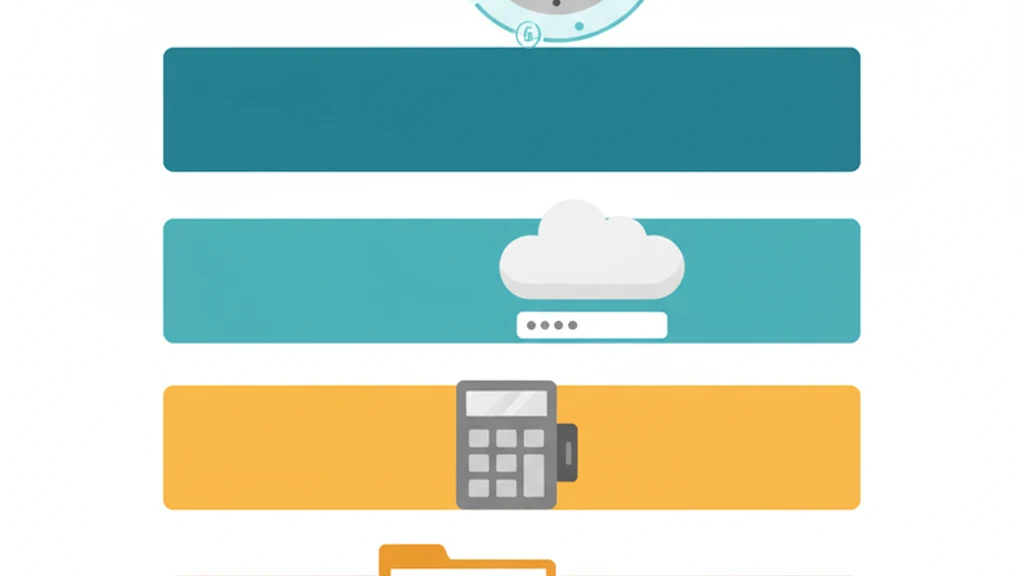
Five ways to hide photos ranked from least to most secure.
There are five fundamentally different ways to hide photos on a smartphone. They range from a free built-in feature that takes ten seconds to set up, to zero-knowledge encrypted vaults that use the same cryptographic standard the US government applies to classified information.
Most "best app to hide photos" articles list ten apps with download links. This guide is different. It ranks five approaches from least to most secure, explains exactly what each protects against and where it fails, and gives you the technical criteria to evaluate any app within each category.
The right choice depends on your threat model. Someone hiding a surprise birthday party album needs different protection than someone storing confidential legal documents or intimate photos that could cause real harm if exposed.
The 5 Approaches, Ranked
| Rank | Approach | Protection level | Best for |
|---|---|---|---|
| 1 (Least secure) | Built-in album hiding | Access control only | Casual privacy from shoulder-surfing |
| 2 | Third-party folder hiders | Hidden directory, no encryption | Keeping photos off the camera roll |
| 3 | Calculator disguise apps | Social camouflage, no encryption | Hiding the vault app itself |
| 4 | Cloud storage with password | Encrypted transit, server-side keys | Cross-device access with moderate security |
| 5 (Most secure) | Zero-knowledge encrypted vaults | AES-256 encryption, client-side keys | Maximum protection against all threat types |
Approach 1: Built-In Album Hiding
How it works
Both iOS and Android offer native options to hide photos from the main camera roll.
iOS (Hidden Album): Select photos, tap Share, tap "Hide." Hidden photos move to a Hidden Album that requires Face ID, Touch ID, or the device passcode to view (iOS 16+). Before iOS 16, the Hidden Album was visible without authentication.
Android (Google Photos Locked Folder): Move photos to the Locked Folder, which requires biometric or device PIN to access.
What it protects against
- Someone casually scrolling through your Photos app
- Children or others browsing your camera roll
Where it fails
- Device passcode = access. Anyone who knows the device passcode sees everything in the Hidden Album. There is no separate credential.
- No independent encryption. Apple and Google manage the keys. Forensic tools with device access can reach hidden photos.
- No plausible deniability. The Hidden Album and Locked Folder are well-known features. Their existence is visible in settings. Someone looking for hidden content knows exactly where to check.
- Single space. One hidden area per device. No ability to create separate compartments for different sensitivity levels.
Honest assessment
The built-in option is free, frictionless, and sufficient for keeping vacation photos separate from screenshots. It is not a security tool. It is an organizational tool with a light privacy layer. For most people with low-threat-model needs, this is genuinely enough.
Security grade: D. Access control without independent encryption or deniability.
Approach 2: Third-Party Folder Hiders
How it works
Folder hider apps create a separate storage area within the app's sandbox. Photos are moved from the camera roll into this area and protected by a PIN, password, or biometric lock. The files themselves remain in their original format (JPEG, PNG, HEIC) without encryption.
What it protects against
- Casual browsing of the camera roll
- Someone using your phone who does not know you have a vault app
Where it fails
- No encryption. Files are standard image files in the app's directory. Connecting the phone to a computer or extracting a backup exposes them.
- Forensic tools bypass the PIN entirely. Tools like Cellebrite UFED and GrayKey read the app's sandbox contents directly.
- Data collection. Many free folder hiders are ad-supported and include multiple tracking SDKs. A 2023 analysis found that 14 of the top 20 vault apps on iOS included three or more third-party tracking SDKs.
- App deletion risk. If the app is deleted (intentionally or during an iOS update issue), unencrypted files in the app sandbox may be lost.
Honest assessment
A marginal improvement over the built-in Hidden Album. The separate PIN is the primary benefit: someone with your device passcode cannot automatically access the vault app. But the lack of encryption means this approach collapses against any technical adversary.
Security grade: D+. Separate PIN is better than nothing. No encryption is still no encryption.
Approach 3: Calculator Disguise Apps
How it works
The app icon and launch screen display a functional calculator. Entering a specific code reveals hidden photo storage. The disguise is the primary protection: anyone glancing at the phone sees a calculator, not a vault app.
Popular examples: Calculator#, Calculator Lock, Secret Calculator, HideX.
What it protects against
- Someone scanning your home screen for vault-like apps
- Casual observers who would not think to enter codes in a calculator
- Social situations where admitting to having a vault app is undesirable
Where it fails
- No encryption (in most cases). The same filesystem exposure problem as folder hiders. Files are unencrypted in the app sandbox.
- "Decoy" features are forensically transparent. Apps with multiple PINs for different albums store a configuration file listing how many PIN-album pairs exist. Forensic examiners read this configuration.
- The disguise itself is detectable. App Store download history reveals the app. iOS Screen Time shows usage. Enterprise MDM can identify the app. The disguise works against casual observers, not determined ones.
- Ad-heavy. Free calculator vaults are aggressively ad-supported, often with full-screen interstitials and extensive tracking.
Honest assessment
Calculator vaults address a real psychological need: "I do not want people to know I have a vault app." This is a valid concern for many people. But the protection is social, not technical. The disguise breaks the moment someone has knowledge, tools, or time.
For a deeper analysis of calculator vault security, see our complete calculator vault guide.
Security grade: C-. Social camouflage has value. But the underlying files are exposed to the same threats as any folder hider.
Approach 4: Cloud Storage with Password
How it works
Services like Google Drive, Dropbox, OneDrive, and iCloud allow password-protected folders or vaults. Files are encrypted during transit and at rest on the provider's servers. Some services offer advanced protection features (like Dropbox Vault, which adds a PIN).
What it protects against
- Unauthorized access to the cloud account (if 2FA is enabled)
- Transit interception (TLS encryption)
- Physical device loss (files exist in the cloud, not just on-device)
- Cross-device access with consistent protection
Where it fails
- Server-side key management. The cloud provider holds the encryption keys. They can decrypt files under legal compulsion, and employees with sufficient access may theoretically view contents.
- Account security is the perimeter. If your Google/Apple/Microsoft account is compromised, the protected files are compromised. Password-protected folders add a layer, but the provider still holds the master keys.
- Metadata exposure. File names, sizes, upload dates, and folder structure are visible to the provider even if file contents are encrypted.
- Internet dependency. Accessing files requires connectivity. Not suitable for situations where internet access is restricted or monitored.
- Terms of service scanning. Major cloud providers scan uploaded content for violations. This scanning typically occurs server-side where the provider holds the keys.
Honest assessment
Cloud storage with a password is a reasonable middle-ground for most people. It protects against device theft and casual unauthorized access. The weakness is the trust chain: you are trusting the cloud provider not to access your files, and trusting that their servers will not be breached.
For users who need protection from the provider itself (journalists, activists, attorneys with privileged materials, anyone in a sensitive situation), server-side key management is disqualifying.
Security grade: B-. Solid against device-level threats. Falls short against provider-level and legal threats.
Approach 5: Zero-Knowledge Encrypted Vaults
How it works
Zero-knowledge encrypted vault apps derive encryption keys locally from the user's credentials (password, pattern, biometric seed). The keys never leave the device. The developer cannot access stored files because they never possess the encryption keys. Files are encrypted with AES-256-GCM (or equivalent) before they touch storage.
The "zero-knowledge" designation means the service provider has zero knowledge of the encryption keys, file contents, or user credentials. This is not a policy choice; it is an architectural constraint. The capability to decrypt does not exist outside the user's device.
What it protects against
- Casual observation (PIN/pattern required)
- Device theft (files are encrypted, not just hidden)
- Forensic examination (encrypted data is indistinguishable from random noise)
- Developer compromise (no keys on server)
- Legal compulsion directed at the developer (nothing to hand over)
- Server breaches (no keys to steal)
- iCloud/backup extraction (backups contain encrypted blobs)
Where it fails
- Credential loss. If the user loses both their primary credential and recovery phrase, data is permanently unrecoverable. No backdoor exists by design.
- User error in credential management. The security model requires the user to maintain their credentials and recovery information. This is the fundamental tradeoff of zero-knowledge systems.
The strongest implementations include
Not all zero-knowledge vaults are equal. The best implementations add:
- Per-file initialization vectors. Each file gets a unique IV, so identical files produce different encrypted outputs.
- Metadata encryption. File names, dates, and vault structure encrypted with a separate cipher.
- Plausible deniability. No master index of vaults. No vault count. No way to prove additional encrypted spaces exist.
- Duress mode. A mechanism to destroy cryptographic access to hidden vaults under coercion, with no recoverable evidence of the destruction.
- Storage padding. Total disk usage remains constant regardless of vault or file count, defeating analysis based on storage changes.
Vaultaire implements all five: AES-256-GCM file encryption, ChaCha20 metadata encryption, PBKDF2 with HMAC-SHA512 key derivation, plausible deniability through architecturally identical vaults with no registry, and a duress mode that destroys cryptographic salts for all other vaults in under one second with no visual indicator.
Security grade: A. The strongest protection available for mobile photo storage. The only meaningful weakness is user credential management.
Side-by-Side Comparison
| Criteria | Built-in hiding | Folder hider | Calculator disguise | Cloud + password | Zero-knowledge vault |
|---|---|---|---|---|---|
| Files encrypted at rest | No | No | Rarely | Yes (server keys) | Yes (client keys) |
| Independent from device passcode | No | Yes (separate PIN) | Yes (separate code) | Yes (account + PIN) | Yes (pattern/password) |
| Survives forensic examination | No | No | No | Partially | Yes |
| Plausible deniability | No | No | Partial (disguise only) | No | Yes (architectural) |
| Developer access to files | Apple/Google can access | Yes (no encryption) | Yes (no encryption) | Yes (holds keys) | No (mathematically impossible) |
| Survives company breach | N/A | N/A | N/A | No (keys compromised) | Yes (no keys to steal) |
| Works offline | Yes | Yes | Yes | No | Yes |
| Free option available | Yes (built-in) | Yes (ad-supported) | Yes (ad-supported) | Limited | Yes (with limits) |
| Data collection | Platform telemetry | Often extensive | Often extensive | Provider policies | Minimal or none |
How to Choose the Right Approach
Start with your threat model
The "right" approach depends on what you are protecting against. Be honest about the threats:
Low threat (casual privacy): You want to keep photos separate from the main camera roll. No one is actively trying to access your device. Built-in hiding (Approach 1) or a folder hider (Approach 2) is sufficient.
Medium threat (social/domestic privacy): You want to prevent specific people (partner, family, coworkers) from seeing certain photos. They may borrow your phone but are not technically sophisticated. A calculator disguise (Approach 3) or cloud storage (Approach 4) adds meaningful protection over built-in options.
High threat (security-critical): You face potential device searches (border crossings, legal situations), forensic examination, or technically sophisticated adversaries. You are storing content that would cause genuine harm if exposed (intimate photos, confidential documents, medical records, journalistic sources). Only zero-knowledge encryption (Approach 5) addresses this threat model.
The cost-benefit reality
Every step up the security ladder adds friction. Built-in hiding is effortless. Zero-knowledge encryption requires managing a pattern and recovery phrase. The question is whether the additional friction is worth the protection gain for your specific situation.
For most people, the answer is not "use the most secure option." The answer is "use the option that matches your actual risk." The mistake is underestimating the risk, not choosing a less-secure option deliberately.
Frequently Asked Questions
What is the best app to hide photos?
The best approach depends on your threat model. For casual privacy, the built-in iOS Hidden Album or Android Locked Folder is sufficient. For protection against forensic examination, device theft, or legal compulsion, a zero-knowledge encrypted vault app using AES-256-GCM encryption provides the strongest available protection. No single app is "best" for everyone because the threat models differ fundamentally.
Can hidden photos be found by someone else?
In most approaches, yes. Built-in hidden albums are accessible with the device passcode. Folder hiders and calculator vaults store unencrypted files that forensic tools can extract. Cloud storage files are accessible to the provider. Only zero-knowledge encrypted vaults store files as mathematically unreadable data that cannot be accessed without the user's specific credentials.
Are free photo hiding apps safe?
Free photo hiding apps are typically ad-supported and include multiple tracking SDKs that collect device identifiers and usage data. Most do not encrypt files. The privacy protection is limited to hiding files from the camera roll UI. For genuine security, evaluate the encryption standard, key management model, and data collection policy rather than relying on the "vault" branding.
What is zero-knowledge encryption?
Zero-knowledge encryption is a cryptographic architecture where the service provider cannot access user data because encryption keys are derived locally on the user's device and never transmitted to the provider's servers. If the provider is served with a subpoena, there is nothing to hand over. This is not a policy decision but an architectural constraint: the mathematical capability to decrypt does not exist outside the user's device.
Can police recover photos from vault apps?
It depends on the vault app type. Law enforcement uses forensic tools like Cellebrite UFED and GrayKey that extract data from mobile devices. Folder hiders and calculator vaults store unencrypted files that these tools access directly. Cloud providers with server-side keys can comply with court orders. Zero-knowledge encrypted vaults with proper AES-256-GCM implementation store data that is mathematically inaccessible without the user's credentials, regardless of the tools applied.
What happens if I forget my vault password?
The outcome depends on the security architecture. Apps with server-side keys offer email-based password reset. Zero-knowledge apps provide recovery phrases (word sequences) that regenerate the key locally. If both the password and recovery phrase are lost in a zero-knowledge vault, the data is permanently unrecoverable. There is no backdoor. This is the intentional tradeoff of maximum security.
Bottom Line
Five approaches. Five different protection levels. The spectrum from "hidden from the camera roll" to "encrypted with the same standard used for classified government data" is wide, and each step involves a real tradeoff between convenience and security.
Most people start at the wrong end. They search for an "app to hide photos," download the first free result, and assume the problem is solved. For casual privacy, it often is. For anything more serious, the assumption is dangerous.
Know your threat model. Match the approach to the threat. And if the files would cause genuine harm if exposed, do not settle for hiding. Use encryption.
Related guides: How to Hide Photos on iPhone | Best Photo Vault Apps for iPhone | Photo Vault App: What to Look For | Calculator Vault Apps Explained