

How to Share Photos Securely (Without Giving Up Privacy)
Compare 5 secure photo sharing methods: Signal, iMessage, AirDrop, cloud links, and encrypted vault sharing.
You can share photos securely using end-to-end encrypted messaging (Signal, iMessage, WhatsApp), password-protected cloud links, or encrypted vault sharing with access controls. The right method depends on your threat model: who you are protecting against, whether you need to revoke access after sharing, and whether the recipient needs to store the photos long-term. This guide covers every major method, compares their encryption models, and explains the trade-offs.
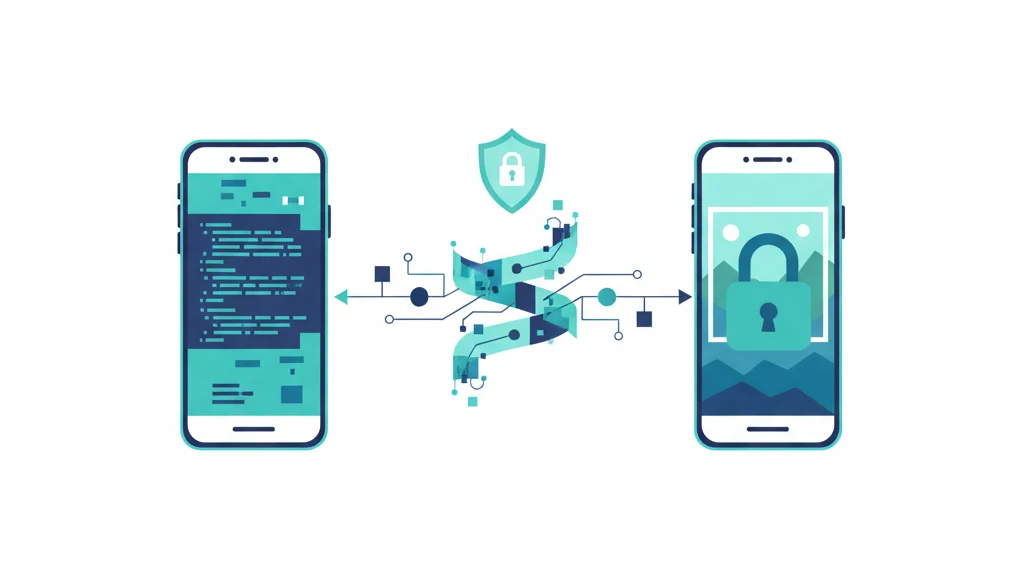
 Image prompt: Flat illustration of two smartphones facing each other with an encrypted data stream flowing between them. A shield icon hovers over the stream. The receiving phone shows a photo appearing behind a lock icon. Teal and deep blue palette. Style: flat vector, startup-style, clean design, white background. 16:9, 4K, no text, no watermark.
The Problem With Normal Photo Sharing
When you share a photo through standard channels -- email, SMS, social media DMs, or unencrypted cloud links -- the photo passes through servers that can read it. Email providers can access attachments. SMS photos are unencrypted. Social media platforms retain copies on their servers. Cloud sharing links are accessible to the cloud provider.
Once shared, you lose control. The recipient can screenshot, forward, save, and share your photo with anyone. There is no "unsend" that actually works -- even messaging apps that offer message deletion cannot recall a screenshot or a photo saved to the camera roll.
Secure photo sharing addresses two problems: protecting photos during transmission (encryption) and maintaining control after delivery (access management).
Method 1: End-to-End Encrypted Messaging
Signal
Signal uses the Signal Protocol for end-to-end encryption. Photos shared via Signal are encrypted on your device and decrypted only on the recipient's device. Signal's servers never see the plaintext.
Encryption: Signal Protocol (Double Ratchet, X3DH key exchange). Photos encrypted with AES-256 in CBC mode with HMAC authentication.
Strengths: Open-source, independently audited, no metadata collection, disappearing messages option, screenshot notification on some platforms.
Limitations: Once the recipient receives the photo, it is decrypted on their device. They can screenshot, save, or forward it. Disappearing messages delete from both devices but cannot prevent screenshots taken before deletion. The photo exists in plaintext on both devices while the conversation is active.
iMessage
iMessage uses end-to-end encryption for messages between Apple devices. Photos shared via iMessage are encrypted in transit and the keys are managed on-device.
Encryption: RSA-1280 and ECDSA P-256 for key exchange, AES-128 in CTR mode for message encryption.
Strengths: Built into every iPhone. No additional app needed. Seamless integration with the camera roll.
Limitations: iMessage falls back to SMS when the recipient does not have an Apple device, and SMS is completely unencrypted. iCloud message backup (enabled by default) stores messages on Apple's servers. Without Advanced Data Protection, Apple holds the keys to iCloud backups, which means Apple can access iMessage content from the backup. Group chats include the message key for all participants, expanding the trust surface.
WhatsApp uses the Signal Protocol for end-to-end encryption of messages and media.
Encryption: Signal Protocol. Same technical foundation as Signal.
Strengths: Large user base (2+ billion users). E2EE enabled by default.
Limitations: Owned by Meta. WhatsApp collects metadata (who you message, when, how often, your phone number, contacts list, group membership) even though message content is encrypted. WhatsApp's cloud backup (to iCloud or Google Drive) is not end-to-end encrypted by default. WhatsApp offered encrypted backups as an opt-in starting in 2021, but many users have not enabled it. Meta's business model is advertising, and metadata is commercially valuable.
Comparison: E2EE Messaging
| Feature | Signal | iMessage | |
|---|---|---|---|
| E2EE by default | Yes | Yes (Apple-to-Apple) | Yes |
| Metadata collection | Minimal (phone number only) | Apple ecosystem data | Extensive (contacts, timing, frequency) |
| Cloud backup encrypted | N/A (no cloud backup) | Only with ADP | Opt-in |
| Open source | Yes | No | Partially |
| Sender control after delivery | Disappearing messages only | None | Disappearing messages only |
| Cross-platform | Yes | Apple only | Yes |
Method 2: AirDrop (Local, Apple-Only)
AirDrop uses Bluetooth for device discovery and a direct Wi-Fi connection (peer-to-peer) for file transfer. The transfer is encrypted with TLS.
Strengths: No server involved. Photos transfer directly between devices. No cloud storage, no intermediary. Fast for large files.
Limitations: Apple devices only. Requires physical proximity (Bluetooth range). The recipient gets the full-resolution photo with all metadata (EXIF data including GPS coordinates, camera model, date). No sender control after transfer. Anyone nearby with AirDrop set to "Everyone" can receive unexpected files (Apple added "Contacts Only" as default in iOS 16.2).
Best for: Sharing photos with someone physically present when you trust them with the full file.
Method 3: Password-Protected Cloud Links
Services like Dropbox, Google Drive, and OneDrive let you share files via links that can be password-protected and set to expire.
Encryption: In transit (TLS) and at rest (provider-managed keys). Not end-to-end encrypted. The cloud provider can access the files.
Strengths: Works with anyone (no app required). Password adds a layer of access control. Expiration dates limit the sharing window.
Limitations: The cloud provider holds the encryption keys and can access the file. The password protects against unauthorized link access, not against the provider. If the link is forwarded (with the password), anyone can access the file. No way to prevent downloading or screenshotting.
Best for: Sharing with people who do not use the same messaging app, when provider access is acceptable.
Method 4: Encrypted Email (PGP/S/MIME)
Email with PGP or S/MIME encryption provides end-to-end encryption for attachments.
Encryption: PGP (RSA/ECDH key exchange, AES-256 for content) or S/MIME (RSA certificates, AES-256).
Strengths: True E2EE for the attachment. Decentralized (no single provider controls the keys).
Limitations: Extremely difficult to set up for non-technical users. Key management is complex (exchanging public keys, maintaining keyrings). Most email clients do not support PGP or S/MIME by default. Subject lines and metadata are not encrypted. Practically usable only between people who already have a PGP/S/MIME workflow.
Best for: Sharing between technical users who already have PGP infrastructure. Not practical for most people.
Method 5: Encrypted Vault Sharing (Sender-Controlled)
Encrypted vault sharing is a newer model where photos are shared inside an encrypted container that the sender controls.
Vaultaire's secure sharing works like this: the sender generates a sharing phrase (a short word sequence). The recipient enters the phrase in Vaultaire on their device to access the shared vault. The photos are encrypted in transit and at rest. No account or email is required on either side.
What makes this different from E2EE messaging:
| Feature | E2EE Messaging | Encrypted Vault Sharing |
|---|---|---|
| Encrypted in transit | Yes | Yes |
| Encrypted at rest | Depends on backup settings | Yes (always) |
| Sender controls access duration | Disappearing messages only | Yes (expiration dates) |
| Sender controls access count | No | Yes (open count limits) |
| Sender can prevent saving/exporting | No | Yes (cryptographically enforced) |
| Sender can revoke access | No (once delivered, delivered) | Yes (instant revocation) |
| Requires same app | Yes (usually) | Yes |
| Requires account | Varies | No |
The key advantage: After sharing, the sender retains control. Set an expiration date, limit the number of times the vault can be opened, prevent screenshots and file export, and revoke access at any time. Revocation re-encrypts the vault with a new key -- the old sharing phrase becomes useless. This works even if the recipient's device is offline.
Practical use cases:
- Sharing legal documents with a lawyer (time-limited access, revocable)
- Sharing medical records with a specialist (expires after the appointment)
- Sharing sensitive personal photos with a partner (export-prevention, revocable)
- Sharing project files with a collaborator (updated files sync automatically)
- Estate planning (share vault access with a trusted person, revoke if circumstances change)
Which Method Should You Use?
| Scenario | Best Method | Why |
|---|---|---|
| Quick photo to a friend | iMessage (Apple) or Signal | E2EE, fast, already installed |
| Photo to someone in the same room | AirDrop | No server, direct transfer, fastest |
| Sensitive photo to a trusted person | Signal with disappearing messages | E2EE, minimal metadata, auto-delete |
| Documents to a lawyer or doctor | Encrypted vault sharing | Time-limited, revocable, export-controlled |
| Photos you might need to revoke later | Encrypted vault sharing | Only method with true post-delivery control |
| Large batch of photos to collaborate on | Encrypted vault sharing | Sync, access controls, encryption at rest |
| Photo to someone without a smartphone | Password-protected cloud link | Works in any browser |
Tips and Common Mistakes
- Check your iMessage backup settings. iCloud backup of Messages is enabled by default. Without ADP, Apple holds the keys. Enable ADP or disable iCloud Messages backup to maintain E2EE.
- Signal is the gold standard for E2EE messaging but does not prevent screenshots. For photos that must not be saved by the recipient, vault sharing with export prevention is the only option.
- AirDrop sends full EXIF metadata. If your photo contains GPS coordinates, the recipient gets your exact location. Strip metadata before sharing if location privacy matters (Settings > Privacy > Location Services > Camera > Never prevents future GPS embedding, but does not strip existing metadata).
- Email attachments are never encrypted by default. Even "encrypted" email services (ProtonMail, Tutanota) only encrypt email-to-email within their service. Attachments sent to a Gmail address are not E2EE.
- Cloud sharing links can be forwarded. A password-protected Dropbox link is only as secure as the recipient's handling of the password. Use expiring links and assume the link may be shared.
- WhatsApp metadata is valuable to Meta. Even with content E2EE, Meta knows who you message, when, and how often. For maximum privacy, Signal collects only your phone number.
Frequently Asked Questions
Can someone screenshot photos I send on Signal?
Yes. Signal cannot prevent screenshots on most platforms. Signal offers a "Screen Security" option on Android that blocks screenshots within the app, but the recipient can use another device to photograph the screen. Disappearing messages delete from both devices after the timer, but screenshots taken before deletion persist.
Is AirDrop encrypted?
Yes. AirDrop uses TLS encryption for the file transfer. The connection is peer-to-peer (direct between devices, not through a server). AirDrop is secure for the transfer itself. The limitation is that the recipient gets the full file with no ongoing controls.
What is the most secure way to share private photos?
End-to-end encrypted vault sharing with access controls provides the strongest combination of encryption and post-delivery control. The sender controls access duration, open count, export permissions, and can revoke access at any time. The trade-off: both parties need the same app.
Do WhatsApp photos show up in Google Photos?
By default, WhatsApp saves received photos to your camera roll, which may sync to Google Photos or iCloud Photos. This means E2EE photos end up on servers with provider-managed encryption keys. Disable "Save to Camera Roll" in WhatsApp settings to prevent this.
Can I send encrypted photos to someone who does not have a specific app?
Password-protected cloud links (Dropbox, Google Drive) work in any browser and do not require an app. The trade-off: the cloud provider holds the encryption keys, so this is not E2EE. For true E2EE, both parties need compatible software.
Bottom Line
Secure photo sharing ranges from "better than nothing" (password-protected cloud links) to "mathematically private with sender control" (encrypted vault sharing). E2EE messaging (Signal, iMessage, WhatsApp) protects photos in transit but gives up control upon delivery. Encrypted vault sharing with Vaultaire maintains encryption at rest and gives the sender ongoing control over access, duration, and export.
The right method depends on your threat model. For casual sharing, Signal or iMessage is fine. For anything where you might need to revoke access later -- legal documents, medical records, sensitive personal photos -- encrypted vault sharing is the only method that keeps you in control after delivery.
Last updated: March 2026