

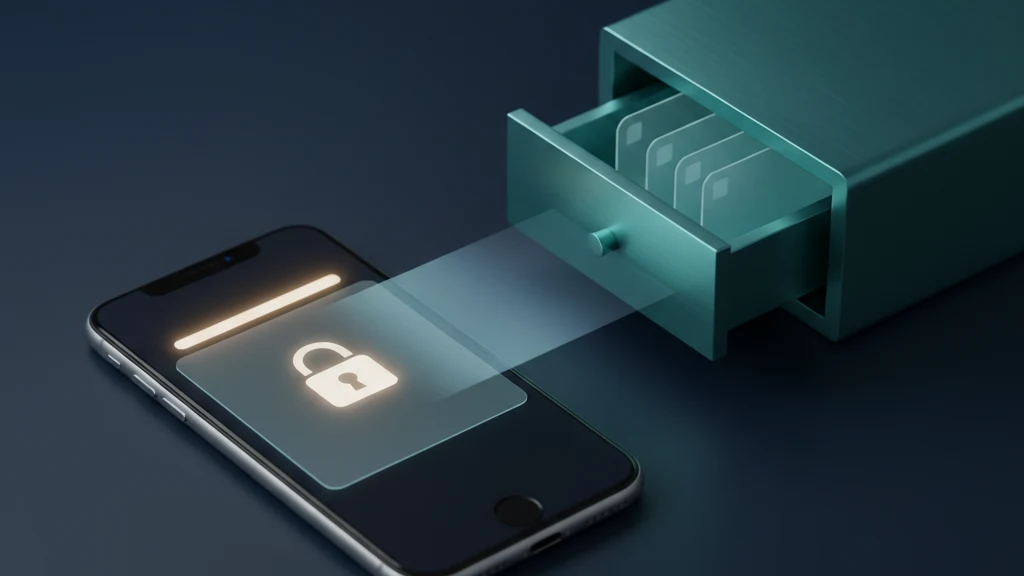
Notas bloqueadas no iPhone vs. aplicação cofre: em que confiar
O Apple Notas pode bloquear uma nota com Face ID ou palavra-passe, e o conteúdo é genuinamente encriptado. Mas uma nota bloqueada não é o mesmo que um cofre. Este guia explica o que o bloqueio do Notas protege, o que expõe e quando um cofre separado é o lugar mais seguro.
Bloquear uma nota no Apple Notas encripta o seu conteúdo e é suficiente para pequenos segredos textuais como um código de porta ou uma entrada de diário privado. Tem duas limitações: a primeira linha continua visível como título, e uma nota bloqueada com o seu código abre com o mesmo Face ID que desbloqueia o telemóvel. Para ficheiros, fotografias, documentos de identificação e códigos de recuperação, um cofre dedicado com a sua própria chave é a escolha mais segura.
O que o bloqueio de uma nota realmente faz
Quando bloqueia uma nota, a Apple deriva uma chave da sua palavra-passe do Notas ou do código do dispositivo usando PBKDF2 e SHA-256, e encripta depois o corpo da nota e os seus anexos com AES no modo Galois/Counter. A Apple não consegue ler uma nota bloqueada, e ela permanece encriptada ao sincronizar através do iCloud. Esta é uma encriptação real de ponta a ponta, não um simples botão de ocultar.
Desbloqueia uma nota com Face ID, Touch ID ou a palavra-passe que definiu. Depois de desbloquear uma nota, o Notas mantém as outras notas bloqueadas acessíveis durante alguns minutos até tocar em Bloquear Agora ou sair da aplicação, pelo que um único desbloqueio abre todas as notas bloqueadas nessa janela de tempo.
O título aparece mesmo quando a nota está bloqueada
Uma nota bloqueada oculta o seu corpo e pré-visualização, mas a primeira linha continua visível como título na lista de notas. Se essa primeira linha diz Palavra-passe do Wi-Fi ou Acesso ao banco, o bloqueio protege o valor mas continua a anunciar o assunto a qualquer pessoa que olhe para o ecrã.
A solução é manter a primeira linha genérica. Coloque uma palavra neutra como Notas ou Misc na primeira linha e guarde o conteúdo sensível mais abaixo. O título é a única parte de uma nota bloqueada que não fica oculta.
Notas bloqueadas com código são tão privadas quanto o seu código
Desde o iOS 16 pode bloquear notas com o código do iPhone em vez de uma palavra-passe separada do Notas. É conveniente, mas significa que qualquer pessoa que consiga desbloquear o seu telemóvel também pode abrir as suas notas bloqueadas. Um parceiro que conhece o seu código, ou alguém que o viu a digitá-lo, entra sem qualquer barreira adicional.
Uma palavra-passe separada do Notas é mais segura porque é um segredo distinto do código do telemóvel. A desvantagem é a recuperação: se se esquecer da palavra-passe do Notas, a Apple não consegue desbloquear as notas bloqueadas existentes. Repor apenas define uma nova palavra-passe para as notas que bloquear a partir desse momento.
O que o bloqueio do Notas não consegue fazer
Não pode bloquear uma nota que partilha com outra pessoa, nem uma que contenha etiquetas, PDFs, áudio, vídeo ou ficheiros do Pages, Numbers e Keynote. As notas mantidas em contas que não são iCloud, como Gmail ou Yahoo via IMAP, também não podem ser bloqueadas. Apenas notas no dispositivo ou no iCloud, sem esses anexos, suportam bloqueio.
As notas bloqueadas ficam também fora da pesquisa, o que é bom para a privacidade, mas significa que tem de se lembrar onde as coisas estão. E o Notas foi concebido para texto e anexos leves, não para manter dezenas de digitalizações, capturas de ecrã e documentos protegidos por uma única chave.
O que uma aplicação cofre acrescenta
Um cofre dedicado mantém ficheiros e fotografias protegidos com a sua própria chave, separada de Fotografias, Ficheiros e iCloud. Essa separação é o ponto central: uma nota bloqueada ainda vive dentro da aplicação Notas que qualquer pessoa pode abrir, enquanto um cofre é uma porta diferente. O Vaultaire usa uma chave derivada de um padrão, pelo que o segredo é um padrão que desenha em vez de uma sequência ligada à sua conta Apple.
Um cofre é também concebido para o que o Notas trata mal. Digitalizações de passaporte, fotografias de documentos, declarações fiscais e folhas de recuperação pertencem a um contentor encriptado separado do rolo da câmara, não colados numa nota onde uma captura de ecrã ou uma cópia de segurança os pode expor, e onde o Notas não permite bloquear o PDF de qualquer forma.
Quando uma nota bloqueada é suficiente
Para um pequeno excerto de texto que quer esconder de um olhar casual, uma nota bloqueada é adequada. Um código de porta, a localização de uma chave sobresselente, algumas linhas de um diário privado ou uma chave de licença de software são todos razoáveis para guardar numa nota bloqueada, desde que a primeira linha seja genérica.
Utilize uma palavra-passe separada do Notas em vez do código do dispositivo quando a nota realmente importa, e aceite que está a confiar ao Apple Notas e ao iCloud o conteúdo encriptado. Para a maioria dos segredos textuais do dia a dia, é uma troca justa por algo gratuito e integrado.
Quando recorrer a um cofre
Recorra a um cofre quando o segredo é um ficheiro e não uma frase, quando é algo que não gostaria que um amigo que lhe empresta o telemóvel desbloqueado encontrasse, ou quando quer uma chave diferente da que desbloqueia todo o telemóvel. Fotografias de documentos, digitalizações e códigos de recuperação enquadram-se aqui.
O Vaultaire armazena esses ficheiros protegidos com uma chave derivada de padrão, separada do rolo da câmara e das notas, para que uma digitalização sensível não esteja a um toque numa aplicação que abre ao longo do dia. As duas ferramentas não são rivais. Bloqueie textos rápidos no Notas e mantenha ficheiros e fotografias no cofre.
Leitura relacionada:
- Guardar uma frase semente de cripto no iPhone
- Guardar documentos fiscais no iPhone
- Definições de privacidade do iPhone
- Manter capturas de ecrã privadas no iPhone
- Encriptação por padrão
Fontes
- Suporte Apple: Bloquear ou desbloquear notas no iPhone e iPad
- Segurança da plataforma Apple: Funcionalidades de segurança da aplicação Notas
Perguntas frequentes
As notas bloqueadas da Apple são realmente encriptadas?
Sim. A Apple deriva uma chave da sua palavra-passe ou código com PBKDF2 e encripta o corpo da nota e os anexos com AES-GCM. O conteúdo permanece encriptado no dispositivo e no iCloud, e a Apple não consegue lê-lo. As verdadeiras limitações são o título visível e o facto de uma nota bloqueada com código partilhar o desbloqueio do telemóvel.
Alguém pode abrir as minhas notas bloqueadas se souber o código do meu iPhone?
Se bloqueou a nota com o código do dispositivo, sim. Bloquear com o código significa que o mesmo Face ID ou código que desbloqueia o telemóvel também abre a nota. Para exigir um segredo separado, defina uma palavra-passe dedicada do Notas em Definições, Notas, Palavra-passe.
Devo guardar palavras-passe e documentos de identificação numa nota bloqueada?
Alguns segredos textuais como um código de porta são adequados numa nota bloqueada com uma primeira linha genérica. Para palavras-passe de contas utilize um gestor de palavras-passe, e para fotografias de documentos, digitalizações e códigos de recuperação utilize um cofre encriptado. São ficheiros, e o Notas nem permite bloquear uma nota que contenha um PDF.