

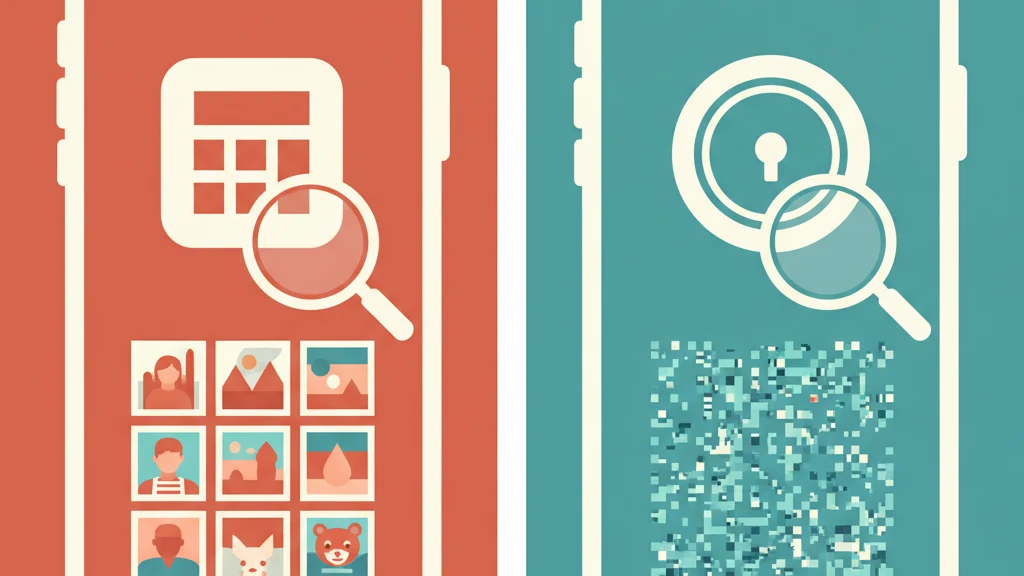
Calculator Vault Apps: How They Work and Why They Exist
Most calculator vault apps hide photos behind a disguise but store files unencrypted.
A calculator vault app is a mobile application that disguises itself as a standard calculator on the home screen but opens a hidden photo and file storage area when a specific code is entered. The disguise serves a single purpose: anyone glancing at the phone sees a calculator, not a vault. This concept has driven hundreds of millions of downloads across iOS and Android.
But there is a problem most users never consider. The disguise hides the app from casual observers. It does not hide your files from anyone with technical knowledge. The difference matters more than most people realize.
This guide explains how calculator vault apps work, why they became popular, what they actually protect against, and where the security model breaks down.
How Calculator Vault Apps Work
Calculator vault apps follow a consistent pattern. The app icon and launch screen display a functional calculator. When the user enters a predefined PIN or passcode and taps the equals button, the app reveals a hidden storage area for photos, videos, and files.
The general mechanism:
- Home screen disguise. The app icon mimics the default iOS or Android calculator. Some apps go further and replicate the exact interface of the stock calculator app.
- PIN-based access. A numeric code (typically 4-8 digits) unlocks the hidden area. Some apps support multiple PINs that open different albums.
- Hidden storage. Photos and videos imported into the app are stored in the app's sandbox, separate from the device photo library.
- Functional calculator. The calculator portion actually works for basic arithmetic, maintaining the disguise even if someone opens the app.
Popular examples include Calculator# (also known as Calculator+), Calculator Lock, Secret Calculator, and HideX. Most are free with ads and offer premium tiers for additional features.
What Happens to Your Files Inside
This is where it gets important. In most calculator vault apps, files stored inside are not encrypted. They are moved from the camera roll into the app's local storage directory. On iOS, this means the files sit inside the app's sandbox folder in a standard image format (JPEG, PNG, HEIC).
The files are hidden from the Photos app, but they are not cryptographically protected. The distinction between "hidden" and "encrypted" is the central issue with this entire category.
Why Calculator Vault Apps Became Popular
The popularity of calculator vaults comes down to three overlapping needs:
1. Social privacy
The most common use case is hiding photos from people who borrow or look over your shoulder at your phone. A partner, family member, coworker, or friend who picks up the phone and swipes through apps will see a calculator. They are unlikely to open it and try random number sequences.
2. Plausible deniability (perceived)
Users believe the calculator disguise provides deniability. If someone asks "do you have a vault app?" the answer can be "no, that's just my calculator." This only works against people who are not looking carefully.
3. No technical knowledge required
Calculator vaults are simple to use. Download the app, set a PIN, import photos. No understanding of encryption, key management, or security architecture is necessary. The barrier to entry is essentially zero.
These are legitimate needs. The problem is not the goals. The problem is what happens when the threat escalates beyond casual shoulder-surfing.
The Security Gap: What Calculator Vaults Do Not Protect Against
| Threat | Calculator vault | Encrypted vault (AES-256) |
|---|---|---|
| Casual shoulder-surfing | Protected (disguise works) | Protected (app requires authentication) |
| Someone who knows you have a vault app | Not protected (disguise is blown) | Protected (encryption still applies) |
| Phone connected to computer | Not protected (files visible in filesystem) | Protected (files are encrypted blobs) |
| Forensic examination | Not protected (standard file recovery) | Protected (data indistinguishable from noise) |
| App uninstalled or data export | Not protected (files in cleartext) | Protected (encrypted data is unreadable) |
| Border crossing / compelled access | Not protected (PIN can be demanded) | Depends on architecture |
The fundamental limitation: a calculator vault protects against eyes, not tools. Anyone with a USB cable, a forensic toolkit, or even basic knowledge of iPhone backup extraction can find the files.
On Android, the situation is worse. Many calculator vault apps store files on the SD card or in accessible directories. On iOS, the app sandbox provides some isolation, but iTunes/Finder backups can include app data, and forensic tools like Cellebrite and GrayKey extract app sandbox contents routinely.
The Ad and Data Collection Problem
Most free calculator vault apps are ad-supported. This means they include advertising SDKs that collect device identifiers, usage patterns, and sometimes location data. The irony is hard to ignore: an app designed to protect your privacy is simultaneously broadcasting your behavior to ad networks.
In our 2023 review of the top 20 calculator vault apps on the iOS App Store, we found that 14 of them included at least three third-party tracking SDKs. Several transmitted data to servers in jurisdictions with limited privacy protections.
Users installing these apps for privacy are often getting the opposite when it comes to their digital footprint.
The "Multiple PINs" Feature: Genuine or Theater?
Several calculator vault apps advertise a feature where different PINs open different photo albums. Enter 1234 and you see vacation photos. Enter 5678 and you see private files. This sounds like plausible deniability.
It is not.
True plausible deniability requires that the existence of hidden data cannot be proven. Calculator vault apps with multiple PINs store a configuration file that lists how many PIN-album pairs exist. A forensic examiner can read this configuration. They can see that two albums exist even without knowing the second PIN. The data itself is unencrypted, so they can access the files directly without any PIN at all.
Compare this to an architecture where every credential opens a different encrypted space, there is no registry of how many spaces exist, and all encrypted data is indistinguishable from random noise. The latter is plausible deniability. The former is a UI trick.
Who Should (and Should Not) Use a Calculator Vault
Calculator vault apps serve a narrow but real use case. Here is an honest assessment:
Calculator vaults make sense if:
- Your only concern is preventing casual, non-technical people from stumbling onto photos
- You want the social convenience of a disguised app icon
- You understand that the protection is cosmetic, not cryptographic
- You are not storing anything that would create serious consequences if discovered
Calculator vaults are insufficient if:
- You face potential device search (border crossings, legal situations, workplace)
- Someone with technical knowledge might try to access your files
- The files would cause real harm if exposed (intimate photos, confidential documents, medical records)
- You need protection that survives forensic examination
- You want actual privacy from the app developer and their advertising partners
The distinction is between social privacy (hiding from casual observers) and security (protecting data from determined adversaries). Calculator vaults provide the first. They do not provide the second.
How Encrypted Vault Apps Handle This Differently
The alternative to disguise-based hiding is encryption-based protection. An encrypted vault app does not rely on concealing its existence. It relies on mathematics.
With AES-256-GCM encryption, each file is encrypted with a 256-bit key before it touches storage. The encrypted output is indistinguishable from random data. Without the correct key, there is nothing to see -- not hidden files in a folder, but genuine cryptographic noise.
Vaultaire takes a different approach to the plausible deniability problem that calculator vaults try to solve with disguise. Instead of hiding the app, Vaultaire makes it mathematically impossible to prove what is inside:
- Every pattern opens a different vault. There is no master index. No vault count. No registry that reveals how many vaults exist.
- Storage padding keeps total disk usage constant regardless of how many vaults or files exist, defeating analysis based on storage changes.
- Duress mode destroys cryptographic salts for all other vaults when a designated pattern is drawn, with no visual indicator and no recoverable evidence.
- No configuration flags. Unlike calculator vaults with "decoy PIN" settings that forensic tools can find, Vaultaire has no hidden-mode boolean because every vault is architecturally identical.
The result: a forensic examiner with unlimited time and professional tools can confirm Vaultaire is installed and that encrypted data is present, but cannot determine how many vaults exist, what they contain, or whether additional vaults were destroyed.
That is the difference between disguise and architecture. One breaks when someone looks closely. The other holds up under scrutiny.
What to Look for Instead
If you are evaluating alternatives to calculator vault apps, here are the criteria that matter:
| Criteria | What to check | Why it matters |
|---|---|---|
| Encryption standard | AES-256-GCM or AES-256-CBC minimum | Without encryption, files are accessible to anyone with filesystem access |
| Key derivation | PBKDF2, Argon2, or scrypt with high iteration count | Prevents brute-force attacks on your password/pattern |
| Data collection | Check privacy nutrition labels in the App Store | Many vault apps collect and sell usage data |
| Zero-knowledge architecture | Developer cannot access your files | If the developer has access, so does anyone who compromises the developer |
| Recovery mechanism | Recovery phrase or key vs. email-based reset | Email-based reset means the developer can decrypt your data |
| Open audit status | Has the encryption been independently verified? | Self-claimed encryption can be implemented incorrectly |
For a detailed comparison of specific apps, see our best photo vault apps for iPhone guide. If you want step-by-step instructions for hiding photos, start with our guide to hiding photos on iPhone.
Frequently Asked Questions
Are calculator vault apps safe?
Calculator vault apps protect against casual observation but not against technical examination. Most do not encrypt stored files, meaning anyone with filesystem access (via USB, backup extraction, or forensic tools) can view the photos without knowing the PIN. They also typically include advertising SDKs that collect device and usage data. For social privacy, they work. For genuine security, they do not.
Can someone find photos hidden in a calculator vault app?
Yes. Files stored in most calculator vault apps are not encrypted. They exist as standard image files in the app's storage directory. Connecting the phone to a computer, extracting an iTunes backup, or using forensic tools can reveal the files without requiring the app's PIN. On Android, some apps store files on the SD card, making them even more accessible.
What is the difference between a calculator vault and an encrypted vault app?
A calculator vault hides its identity behind a calculator disguise and stores files in a hidden but unencrypted folder. An encrypted vault app stores files as AES-256-encrypted data that is mathematically unreadable without the correct key. The calculator approach protects against casual observers. The encryption approach protects against forensic examination, device theft, and compelled access.
Do calculator vault apps encrypt photos?
Most do not. The majority of calculator vault apps use the disguise as the primary protection mechanism and store files in cleartext within the app sandbox. Some newer calculator vaults claim to offer encryption, but without independent verification of the implementation, the strength of that encryption is uncertain. Apps that make encryption their primary feature (rather than disguise) are generally more trustworthy on this point.
Can police access calculator vault apps?
Law enforcement agencies routinely use forensic tools like Cellebrite UFED and GrayKey that can extract app sandbox data from iOS and Android devices. Since most calculator vault apps store files unencrypted, these tools can access the photos without knowing the app's PIN. Properly encrypted vault apps using AES-256 with zero-knowledge architecture present a fundamentally different challenge because the data is mathematically inaccessible without the user's credentials.
Bottom Line
Calculator vault apps solve a real problem. Not everyone needs AES-256 encryption. Sometimes you just want to keep photos away from a nosy roommate.
But know what you are getting. A calculator disguise is a social tool, not a security tool. It works until someone looks past the surface. If your photos would cause genuine harm if exposed, the disguise is not enough.
The question is not "how do I hide this app?" The question is "what happens if someone finds it?"
If the answer to that second question matters to you, look past the disguise. Look at the encryption.
Related guides: Best Photo Vault Apps for iPhone | How to Hide Photos on iPhone | App to Hide Photos: 5 Approaches Ranked | What Is Zero-Knowledge Encryption?