

What Is End-to-End Encryption? How It Protects Your Photos
End-to-end encryption ensures only you can access your photos.
End-to-end encryption (E2EE) is a security model where data is encrypted on the sender's device and can only be decrypted on the recipient's device. No intermediary -- not the service provider, not the cloud host, not an internet service provider -- can read the data in transit or at rest. The encryption keys exist only on the endpoints. NIST defines this model in SP 800-175B as communication security where "only the communicating users can decrypt the data."
For photo storage, end-to-end encryption means your photos are encrypted on your phone before they leave the device. The cloud stores an encrypted blob. Without your personal key, the photos are mathematically indistinguishable from random noise. This guide explains how E2EE works, why it matters for photo privacy, and which services actually implement it.
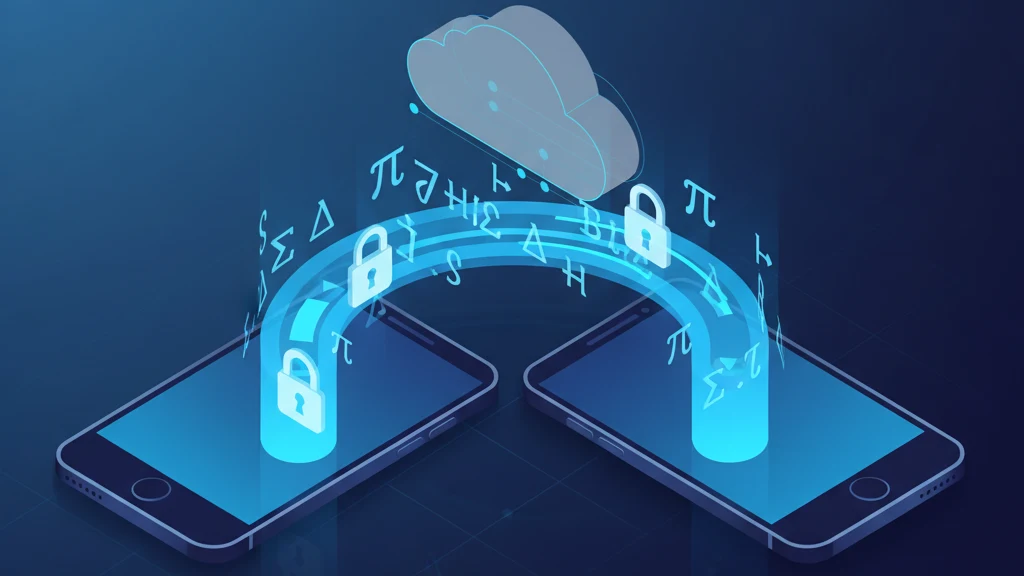
 Image prompt: Isometric 3D illustration of two smartphones connected by a glowing encrypted data stream. The stream shows abstract lock icons and mathematical symbols flowing between devices. A cloud server in the middle has no visibility into the stream. Deep navy and electric blue palette. Style: Blender 3D, clean geometry, orthographic camera. 16:9, 4K, no text, no watermark.
How End-to-End Encryption Works
The core mechanism involves three stages: key generation, encryption, and decryption.
Key Generation
The user's device generates a cryptographic key. In symmetric encryption (like AES-256), the same key encrypts and decrypts. In asymmetric encryption (like RSA), a public key encrypts and a private key decrypts. Many E2EE systems combine both: asymmetric encryption exchanges a symmetric session key, which then handles the bulk encryption.
For photo vault apps, the key is typically derived from a user's password or pattern using a key derivation function (KDF) like PBKDF2 or Argon2. The KDF transforms the human-memorable input into a cryptographic key. Vaultaire uses PBKDF2 with HMAC-SHA512, deriving a 256-bit AES key from a pattern drawn on a 5x5 grid.
Encryption
The plaintext (your photo) is transformed into ciphertext using the encryption key and an encryption algorithm. AES-256-GCM is the most widely used symmetric cipher for this purpose. GCM (Galois/Counter Mode) provides authenticated encryption -- it both encrypts the data and produces an authentication tag that detects any tampering. Each file receives a unique initialization vector (IV), ensuring identical files produce different ciphertext.
Decryption
The recipient's device uses the same key (symmetric) or the matching private key (asymmetric) to reverse the transformation. Without the correct key, the ciphertext is indistinguishable from random data. There is no mathematical shortcut. AES-256 has 2^256 possible keys -- more than the estimated number of atoms in the observable universe.
End-to-End Encryption vs. Other Encryption Models
Not all encryption is end-to-end. The differences determine who can access your data.
Encryption in Transit (TLS/SSL)
Data is encrypted between your device and the server. The server decrypts it upon receipt. This protects against eavesdropping during transmission but leaves the data readable on the server. Every major cloud service uses encryption in transit. It is the baseline, not the standard.
Encryption at Rest (Server-Side)
The server encrypts stored data using keys the server manages. This protects against physical theft of server hardware but not against the service provider, their employees, or legal requests directed at the provider. iCloud, Google Drive, and Dropbox all use server-side encryption at rest. The provider holds the keys.
End-to-End Encryption
Data is encrypted on the user's device with keys the user controls. The server stores ciphertext it cannot decrypt. The provider cannot read the data, cannot comply with data requests (because decryption is impossible), and cannot be compromised in a way that exposes plaintext. This is the only model where "the provider cannot access your data" is a mathematical statement, not a policy promise.
| Encryption Model | Who Holds the Keys | Provider Can Read Data? | Protects Against Provider? |
|---|---|---|---|
| In transit only (TLS) | Server | Yes | No |
| At rest (server-side) | Server | Yes | No |
| End-to-end | User only | No | Yes |
| Zero-knowledge E2EE | User only, provider has zero access | No | Yes, by architectural constraint |
How Photo Storage Services Handle Encryption
The encryption model varies significantly across photo storage services. Some advertise "encryption" without specifying the model, which can mislead users into believing their photos are E2EE when they are not.
iCloud Photos
Apple uses encryption in transit and at rest. Apple holds the encryption keys by default. With a valid legal request, Apple can provide iCloud Photos data. Exception: Apple's Advanced Data Protection (ADP), available since December 2022, adds end-to-end encryption to iCloud Photos. ADP must be explicitly enabled in Settings. When enabled, Apple cannot access iCloud Photos data. Most users have not enabled ADP.
Google Photos
Google uses encryption in transit and at rest with server-side keys. Google holds the encryption keys for all Google Photos data, including Locked Folder contents. Google can comply with legal data requests. Google does not offer an end-to-end encryption option for Google Photos.
Dropbox
Encryption in transit (TLS 1.2+) and at rest (AES-256 with Dropbox-managed keys). Dropbox holds the keys and can access your files. Dropbox has been subject to data breaches (2012, 68 million accounts). Dropbox Vault (a paid feature) adds PIN protection but not end-to-end encryption.
OneDrive
Microsoft uses encryption in transit and at rest with Microsoft-managed keys. Microsoft holds the keys. OneDrive Personal Vault adds identity verification (2FA) but not end-to-end encryption -- Microsoft can still access the data. For enterprise customers, customer-managed keys are available.
Vaultaire
End-to-end encryption with zero-knowledge architecture. Photos are encrypted on-device with AES-256-GCM before any cloud upload. The encryption key is derived from the user's drawn pattern via PBKDF2. The key never leaves the device. Vaultaire cannot decrypt stored data, even for its own encrypted iCloud backups. If served with a subpoena, there is nothing to provide.
| Service | Encryption in Transit | Encryption at Rest | End-to-End Encryption | Provider Can Access |
|---|---|---|---|---|
| iCloud Photos (default) | Yes | Yes (Apple keys) | No | Yes |
| iCloud Photos (ADP enabled) | Yes | Yes | Yes | No |
| Google Photos | Yes | Yes (Google keys) | No | Yes |
| Dropbox | Yes | Yes (Dropbox keys) | No | Yes |
| OneDrive | Yes | Yes (Microsoft keys) | No | Yes |
| Vaultaire | Yes | Yes | Yes (zero-knowledge) | No |
Why End-to-End Encryption Matters for Photos
Photos are uniquely sensitive data. They contain faces, locations (GPS metadata), timestamps, and visual records of private moments. A breach of your photo library exposes more personal information than almost any other data type.
Data Breaches
When a service provider stores your photos with server-side encryption (where they hold the keys), a breach of their systems exposes your data. Dropbox's 2012 breach exposed 68 million accounts. Yahoo's 2013 breach exposed 3 billion accounts. If your photos were E2EE, a server breach would expose only encrypted blobs -- useless without your key.
Legal and Government Access
Service providers can be compelled to provide data in response to court orders, subpoenas, or national security letters. In 2023, Apple received over 120,000 government data requests globally. Google received over 200,000. If your photos are E2EE with a zero-knowledge architecture, the provider has nothing to provide.
Internal Access
Employees at service providers can potentially access data stored with server-side keys. While policies restrict this, insider threats exist. E2EE makes insider access impossible because the keys are not available to the provider's systems.
Metadata Protection
Some E2EE implementations encrypt only file contents, leaving metadata (file names, dates, sizes) unprotected. Stronger implementations like Vaultaire encrypt metadata separately using ChaCha20, protecting against analysis based on file properties.
Common Misconceptions About E2EE
"My cloud storage is encrypted, so my photos are safe." Server-side encryption protects against external breaches of the server hardware. It does not protect against the provider itself, legal requests, or insider threats. The provider holds the keys.
"HTTPS means my photos are end-to-end encrypted." HTTPS (TLS) encrypts data in transit between your device and the server. Once the data arrives at the server, it is decrypted. HTTPS is encryption of the pipe, not encryption of the data.
"End-to-end encryption means no one can ever see my photos." E2EE means no one without the key can see your photos. If someone has your password or key, they can decrypt the data. Key management and strong passwords are still essential.
"Apple/Google cannot see my photos." By default, both companies hold the encryption keys for your cloud-stored photos. Apple offers Advanced Data Protection as an opt-in. Google does not offer an E2EE option for Google Photos at all.
How Vaultaire Implements End-to-End Encryption
Vaultaire uses a layered E2EE approach:
- AES-256-GCM encrypts all file contents. Each file gets a unique initialization vector. Authenticated encryption detects tampering.
- PBKDF2 with HMAC-SHA512 derives the encryption key from the user's drawn pattern on a 5x5 grid. High iteration count makes brute-force attacks computationally prohibitive.
- ChaCha20 encrypts metadata (file names, dates, dimensions) separately, providing cryptographic diversity.
- Apple Secure Enclave manages key storage in hardware, isolated from the main processor and app memory.
- Zero-knowledge architecture means the encryption key is never transmitted, stored on a server, or known to the developer. The app does not know who you are.
The pattern is never stored. No hash of the pattern is stored. If both the pattern and recovery phrase are lost, the data is unrecoverable by anyone.
Frequently Asked Questions
Is end-to-end encryption legal?
Yes, in most countries. E2EE is legal in the United States, the European Union, and most democracies. Some governments have proposed legislation requiring backdoors (such as the UK's Online Safety Act provisions), but E2EE itself remains legal. There is no law against encrypting your personal photos.
Can law enforcement break end-to-end encryption?
Not by breaking the encryption algorithm itself. AES-256 is considered unbreakable with current and foreseeable computing technology, including quantum computers (Grover's algorithm reduces effective key length to 128 bits, which is still computationally infeasible). Law enforcement may attempt to obtain the key through other means (compelling the user, exploiting device vulnerabilities), but the encryption itself holds.
What is the difference between E2EE and zero-knowledge encryption?
E2EE ensures data is encrypted on the user's device and decrypted only on the recipient's device. Zero-knowledge is a stronger claim: the service provider has zero information about the encrypted data -- no keys, no metadata access, no ability to recover or reset. All zero-knowledge systems use E2EE, but not all E2EE systems are zero-knowledge.
Does end-to-end encryption slow down my phone?
Modern devices handle AES-256 encryption with dedicated hardware acceleration. On iPhones, the Secure Enclave handles cryptographic operations. Encryption and decryption of individual photos takes milliseconds. There is no perceptible performance impact for normal use.
What happens if I lose my encryption key?
With true E2EE, losing the key means losing the data. There is no backdoor, no master key, and no recovery by the service provider. Most E2EE systems provide a recovery mechanism (recovery phrase, emergency kit) that should be stored safely during setup.
Bottom Line
End-to-end encryption is the only model where "the provider cannot access your data" is a mathematical guarantee, not a corporate promise. For photos, this means encryption on your device, with a key only you hold, before anything touches a server. Most cloud photo services do not offer this by default. Check who holds the keys before trusting a service with your private photos.
Vaultaire implements E2EE with zero-knowledge architecture for iOS. Your photos are encrypted on-device with AES-256-GCM. The key never leaves your phone. Not even Vaultaire can see what you store.
Last updated: March 2026