

Forgot Photo Vault Password? Recovery Options Explained
Forgot your photo vault password?
You forgot your photo vault password. Your private photos are locked behind it, and you need them back. Whether recovery is possible depends entirely on how the app stores your data. Apps that use real encryption (AES-256) cannot be bypassed -- the password is the key. Apps that merely gate access behind a PIN often have recovery paths through email resets, iCloud Keychain, or reinstallation.
This guide covers recovery options for the most popular vault apps, explains why some passwords are unrecoverable by design, and walks through what to do next.
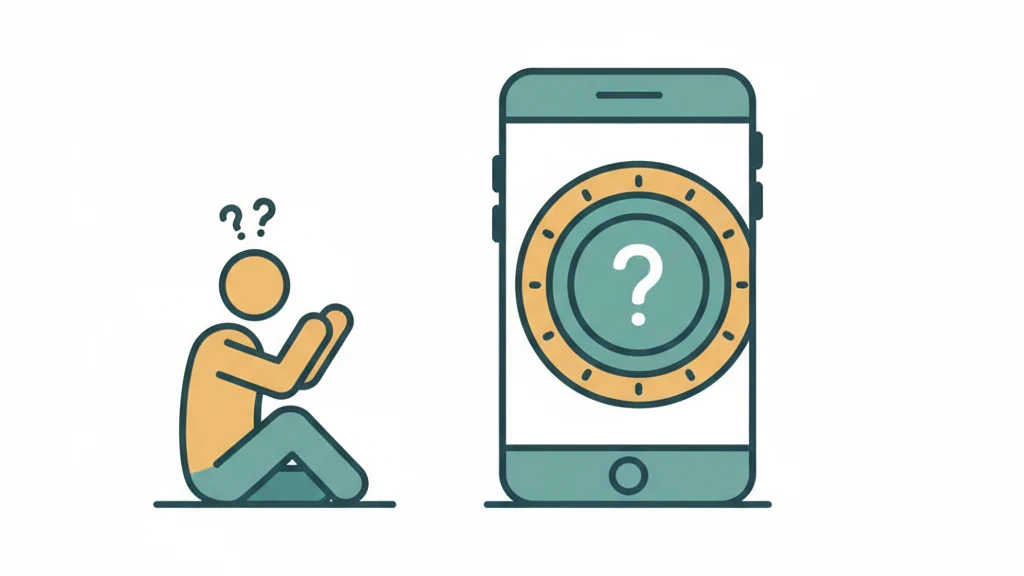
 Image prompt: Flat illustration of a smartphone showing a vault door with a question mark on the combination dial. A small figure sits beside the phone looking puzzled. Muted teal and amber palette on white background. Style: flat vector illustration, startup-style, simple shapes, clean design. 16:9, 4K, no text, no watermark.
Why Some Vault Passwords Cannot Be Recovered
The answer comes down to one distinction: access control vs. encryption.
Access control apps put a PIN screen in front of your photos. The photos themselves sit on your device in a readable format, tucked into a renamed folder. If you forget the PIN, the app (or its support team) can often reset it because the data behind the PIN was never scrambled. Connect the phone to a computer, and the photos may be sitting right there in the file system.
Encryption apps mathematically transform your photos using your password as the key. Without the correct password, the encrypted files are indistinguishable from random noise. There is no backdoor, no master key, and no support team that can help -- because the capability to decrypt without the password does not exist. This is not a policy choice. It is a mathematical constraint.
| Type | How Data Is Stored | Password Recovery Possible? | Example Apps |
|---|---|---|---|
| Access control (PIN gate) | Unencrypted in hidden folder | Usually yes (email reset, reinstall, support) | Keepsafe (free tier), Hide It Pro, most calculator vaults |
| Encryption (real) | AES-256 or similar cipher | Only with recovery phrase or backup | Vaultaire, 1Password, Cryptomator |
| Hybrid (partial encryption) | Some files encrypted, metadata not | Varies by app | Keepsafe Premium, Private Photo Vault |
Recovery Options by App
Keepsafe
Keepsafe offers an email-based password reset for free accounts. Open the app, tap "Forgot PIN," and check your email for a reset link. Premium Keepsafe users with the "safe send" feature enabled may have additional recovery through Keepsafe's support team. Keepsafe's free tier does not use end-to-end encryption, so the reset works because the company can verify your identity without needing to decrypt your files.
Private Photo Vault
Private Photo Vault stores a recovery email during setup. If you forgot your password, tap the lock screen, select "Forgot Password," and follow the email verification. If you skipped the email setup, contact their support team with your Apple ID receipt as proof of purchase. Recovery rates vary.
Calculator Vault Apps (Calculator#, Secret Calculator, etc.)
Most calculator-disguise vault apps use a simple PIN with no encryption behind it. Uninstalling and reinstalling the app sometimes resets the PIN but may also delete stored photos. Check the app's specific documentation before reinstalling. Some calculator vaults sync to a cloud account that preserves photos across resets.
Vaultaire
Vaultaire uses AES-256-GCM encryption where your drawn pattern is the cryptographic key. There is no password stored on the device, no hash of the pattern, and no way for Vaultaire (or anyone) to recover your data without the correct pattern.
However, Vaultaire generates a recovery phrase for each vault -- a series of words following the BIP-39 standard. This phrase can regenerate the same encryption key. If you wrote down or stored your recovery phrase, enter it in the app to regain access.
If both the pattern and the recovery phrase are lost, the data is permanently unrecoverable. This is by design. An app that can recover your encrypted data without your credentials is an app that someone else can also recover your data from.
1Password / Cryptomator / Other True Encryption Apps
Same principle as Vaultaire. If the app uses zero-knowledge architecture, the company cannot help you. Check whether you saved a recovery key, master password backup, or emergency kit during setup.
Step-by-Step: What to Do Right Now
Step 1: Check for a Recovery Phrase or Backup Key
Before trying anything else, look for the recovery mechanism. Most encryption apps generate a recovery phrase, emergency kit, or backup key during initial setup. Check your email for setup confirmation messages, your notes app, your password manager, or any physical paper where you might have written it.
Step 2: Try Pattern and Password Variations
If you set a drawn pattern (Vaultaire) or a password, try the variations you commonly use. Muscle memory is often more reliable than conscious recall for patterns -- try drawing on the grid without overthinking. For text passwords, try your common passwords with typical capitalization and number substitutions.
Step 3: Check for Cloud Backups
If the app offered cloud backup (iCloud, Google Drive, Dropbox), your encrypted vault may have a backup copy. Restoring from backup does not bypass encryption, but it ensures the data is preserved while you work on remembering the password. In Vaultaire, encrypted iCloud backups can be restored on a new device -- you still need the pattern or recovery phrase to decrypt.
Step 4: Contact App Support (Access-Control Apps Only)
For apps that use PIN-based access control without encryption, the support team may be able to help. Provide proof of purchase and any identity verification they request. For encryption apps, support cannot help by design.
Step 5: Accept the Outcome
If the app uses real encryption and you have lost both your password and recovery phrase, the data is gone. No amount of hacking, brute-forcing, or support escalation changes this. This is the price of genuine security. The same mechanism that protects your photos from attackers also protects them from you if you lose the key.
How to Prevent This in the Future
- Save the recovery phrase. Write it on paper and store it somewhere physically secure. Do not store it in a screenshot on the same device the vault is on.
- Use a password manager. Store your vault password or recovery phrase in 1Password, Bitwarden, or Apple's built-in Passwords app.
- Enable cloud backup. Encrypted cloud backups (like Vaultaire's iCloud backup) protect against device loss. They do not help with a forgotten password, but they prevent data loss from device failure.
- Choose memorable credentials. Vaultaire uses drawn patterns instead of text passwords because muscle memory is more persistent than declarative memory. You remember how to ride a bike decades later. Pattern-based keys leverage the same cognitive mechanism.
- Test your recovery phrase. After creating a vault, close the app and reopen it using only the recovery phrase. Verify it works before you need it.
Frequently Asked Questions
Can I hire someone to crack my vault password?
If the app uses AES-256 encryption with proper key derivation (PBKDF2, Argon2), the answer is no. Testing a billion password guesses against a properly implemented vault would require years of computation. Password recovery services that claim otherwise are either targeting apps without real encryption or are scams.
Does factory resetting my phone help?
No. A factory reset deletes everything, including the encrypted vault data. It does not reveal the password or decrypt anything. If you have a cloud backup, the backup survives a factory reset, but you still need the password to decrypt it.
Will Apple or Google help me recover my vault app data?
Apple and Google do not have access to third-party app data encrypted on your device. They can help with Apple ID or Google account recovery, but that is separate from a vault app's encryption.
Is there a difference between forgetting a vault PIN and a vault password?
Functionally, yes. A four-digit PIN has 10,000 possible combinations and can sometimes be brute-forced or reset. A drawn pattern on a 5x5 grid (like Vaultaire uses) has billions of possible combinations. A text password varies by length and complexity. The recovery options depend on whether the credential is used as an access gate (bruteforceable) or as a cryptographic key input (not bruteforceable).
Why do encryption apps not offer password recovery?
Because offering recovery would require storing or transmitting the encryption key, which defeats the purpose of encryption. If the company can recover your data, the company can also be compelled to hand it over. A government, hacker, or rogue employee could access your photos. Zero-knowledge architecture eliminates this risk by design.
Bottom Line
Whether you can recover your photos depends on whether your vault app uses real encryption or just access control. For PIN-gated apps, email resets and support teams can often help. For encrypted apps like Vaultaire, recovery is only possible with the recovery phrase. That trade-off -- convenience vs. security -- is the entire point. An app that anyone can reset is an app that anyone can break into.
Save your recovery phrase. Test it once. Store it somewhere safe. Your future self will thank you.
Last updated: March 2026