

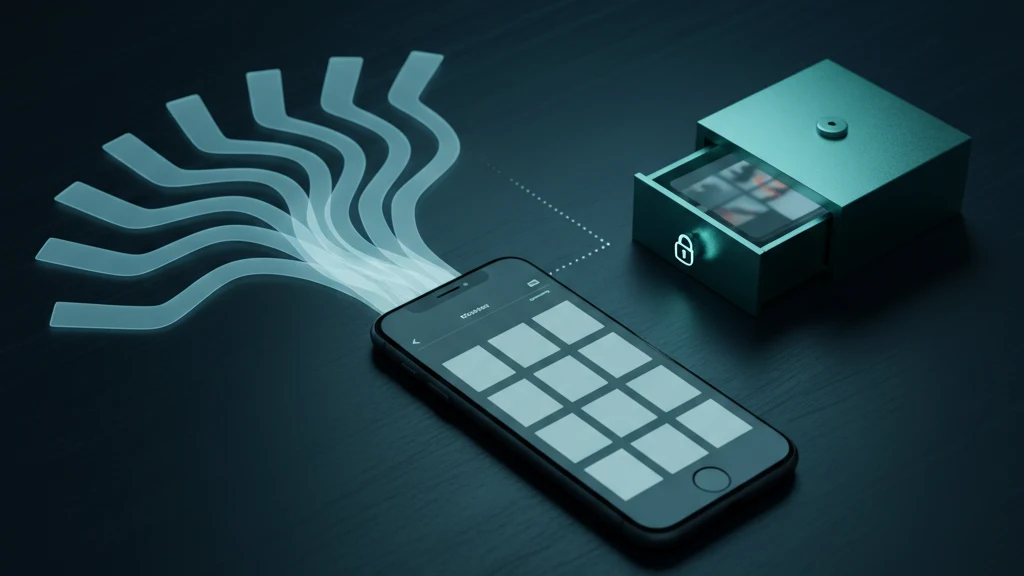
Quem Pode Ver as Fotografias do Álbum Partilhado do iCloud (E Como as Proteger)
Os Álbuns Partilhados do iCloud foram criados para conveniência, não para confidencialidade. Antes de colocar fotografias privadas num, convém saber exatamente quem as pode ver e o que cada fotografia revela discretamente.
Um Álbum Partilhado do iCloud pode ser visto por todos os subscritores que convidou e, se a opção de site web público estiver ativa, por qualquer pessoa que tenha a ligação, mesmo sem conta Apple. As fotografias partilhadas mantêm os dados de localização e os convites podem ser falsificados para spam. Para tudo o que é verdadeiramente privado, mantenha-o fora dos Álbuns Partilhados e guarde-o num cofre encriptado.
O que um Álbum Partilhado do iCloud realmente expõe
Um Álbum Partilhado é um fluxo separado de fotografias e vídeos para o qual convida outras pessoas. Todos os que adicionar como subscritores podem abrir o álbum, ver cada fotografia nele, guardar essas fotografias na própria biblioteca e deixar comentários. Essa parte é óbvia. O que surpreende a maioria das pessoas é o quanto controlo perde assim que uma fotografia entra no álbum.
Qualquer pessoa que possa ver o álbum pode guardar as suas fotografias no próprio dispositivo, sem que tenha qualquer influência sobre elas. Um subscritor pode repartilhar uma cópia guardada, publicá-la noutro local ou mantê-la muito depois de ter eliminado o álbum. No momento em que uma fotografia privada entra num Álbum Partilhado, está a confiar a imagem a cada subscritor e a qualquer pessoa a quem mostrem o telemóvel.
A ligação pública é mais pública do que pensa
Os Álbuns Partilhados têm uma opção chamada Site Web Público. Quando está ativada, a Apple gera uma ligação que abre o álbum em qualquer navegador web, sem conta Apple e sem convite. A ligação parece aleatória, mas não é uma palavra-passe. Qualquer pessoa que a receba, intencionalmente ou por acidente, pode abrir o álbum e navegar por todas as fotografias no seu interior.
As ligações viajam mais longe do que as pessoas esperam. São reencaminhadas, coladas em conversas de grupo, capturadas em ecrã e indexadas quando publicadas numa página pública. Se ativou o site web público para mostrar fotografias a um familiar, essa mesma ligação pode ser aberta por qualquer pessoa que a veja algum dia. Trate uma ligação pública de Álbum Partilhado como se estivesse afixada num outdoor.
Convites de spam e o que revelar ao tocá-los
Qualquer pessoa que conheça o endereço de e-mail associado à conta Apple pode enviar um convite de Álbum Partilhado. Nos últimos anos, spammers abusaram disto para enviar promoções falsas e imagens de burla diretamente para a aplicação Fotografias como convites de álbum. O convite em si é a armadilha.
Aceitar ou mesmo abrir um convite de spam pode confirmar ao remetente que o endereço Apple está ativo, o que tende a atrair mais spam. A atitude segura é recusar convites de pessoas que não reconhece e denunciar os que parecem anúncios. Nunca toque em ligações dentro de um álbum inesperado.
Metadados: uma única fotografia pode revelar a sua morada
As fotografias transportam metadados ocultos, incluindo as coordenadas GPS exatas do local onde foram tiradas. Quando adiciona uma fotografia tirada em casa a um Álbum Partilhado, cada visualizador pode potencialmente ler essa localização. Uma fotografia inocente pode localizar a porta de sua casa num mapa para todos no álbum.
A Apple também mantém as chaves de encriptação do conteúdo padrão do iCloud, incluindo os Álbuns Partilhados, a menos que tenha ativado a Proteção de Dados Avançada. Isso significa que as fotografias do Álbum Partilhado não são encriptadas ponta a ponta por predefinição e podem ser divulgadas em resposta a um pedido legal válido. Remova os dados de localização antes de partilhar e mantenha as imagens sensíveis completamente fora de fluxos partilhados.
Como proteger ou abandonar um Álbum Partilhado
Comece por auditar o acesso. Abra Fotografias, toque no Álbum Partilhado e depois no ícone de pessoas para ver quem subscreve e se a ligação do site web público está ativada. Desative o Site Web Público primeiro, pois isso fecha a brecha mais ampla. Em seguida, remova os subscritores que já não precisam de acesso ou elimine o álbum por completo. Eliminar um Álbum Partilhado remove as cópias partilhadas, mas deixa os seus originais intactos na biblioteca.
Para fotografias que nunca deveriam estar a um toque de serem partilhadas, um Álbum Partilhado é o contentor errado. Mova-as para um cofre encriptado como o Vaultaire, que protege os ficheiros com um padrão separado, diferente do código de acesso do telemóvel, e depois elimine os originais avulsos de Fotografias e de Eliminados recentemente. Uma fotografia que vive por detrás da sua própria chave não pode ser adicionada a um Álbum Partilhado por acidente, reencaminhada por um subscritor nem lida através de uma ligação pública.
Leitura relacionada:
- Que aplicações podem ver as suas fotografias no iPhone
- Como remover metadados de localização de fotografias do iPhone
- Fotografias privadas numa conta Apple partilhada
- Passei o telemóvel e a pessoa deslizou até às minhas fotografias
Fontes
- Suporte Apple: Partilhar fotografias e vídeos com Álbuns Partilhados no iCloud
- Suporte Apple: Ocultar fotografias e vídeos no iCloud.com
- Suporte Apple: Como os dados do iCloud são protegidos e a Proteção de Dados Avançada
Perguntas frequentes
As pessoas num Álbum Partilhado podem ver toda a minha biblioteca de fotografias?
Não. Os subscritores só veem as fotografias e os vídeos que adiciona a esse Álbum Partilhado específico. Não podem navegar pelo resto da biblioteca. O risco são as fotografias que coloca no álbum, não toda a biblioteca de câmara.
Desativar os Álbuns Partilhados elimina as minhas fotografias?
Eliminar um Álbum Partilhado ou desativar a funcionalidade remove as cópias partilhadas e termina a partilha, mas as fotografias originais permanecem na sua própria biblioteca. As cópias que os subscritores já guardaram nos dispositivos continuam com eles.
Alguém pode repartilhar fotografias do meu Álbum Partilhado?
Sim. Qualquer subscritor pode guardar as suas fotografias partilhadas na própria biblioteca e enviá-las para qualquer lugar. Assim que uma fotografia está num Álbum Partilhado, não pode recuperar as cópias que outras pessoas já guardaram.
Os Álbuns Partilhados do iCloud têm encriptação ponta a ponta?
Não por predefinição. Os Álbuns Partilhados padrão do iCloud são encriptados em trânsito e nos servidores da Apple, mas a Apple mantém as chaves a menos que ative a Proteção de Dados Avançada, e uma ligação de site web público ignora completamente o acesso à conta. Para imagens privadas, utilize uma aplicação que encripte localmente com uma chave que só controla.