Are Photo Vault Apps Safe? What to Check Before You Trust One
Photo vault apps promise to keep your private photos private. Many do the opposite of what you assume: they hide images behind a PIN without encrypting anything, and a few quietly collect your data. Here is how to tell the safe ones apart.
Some photo vault apps are safe and some are not. The safe ones encrypt your photos with a key only you control and keep any cloud copy encrypted. The risky ones simply hide photos behind a PIN, store them unencrypted, show ads, or upload your library to a server. Before you trust any vault app, confirm it uses real end to end or zero knowledge encryption, check its App Store privacy label, and test that it works offline.
Hiding is not the same as encrypting
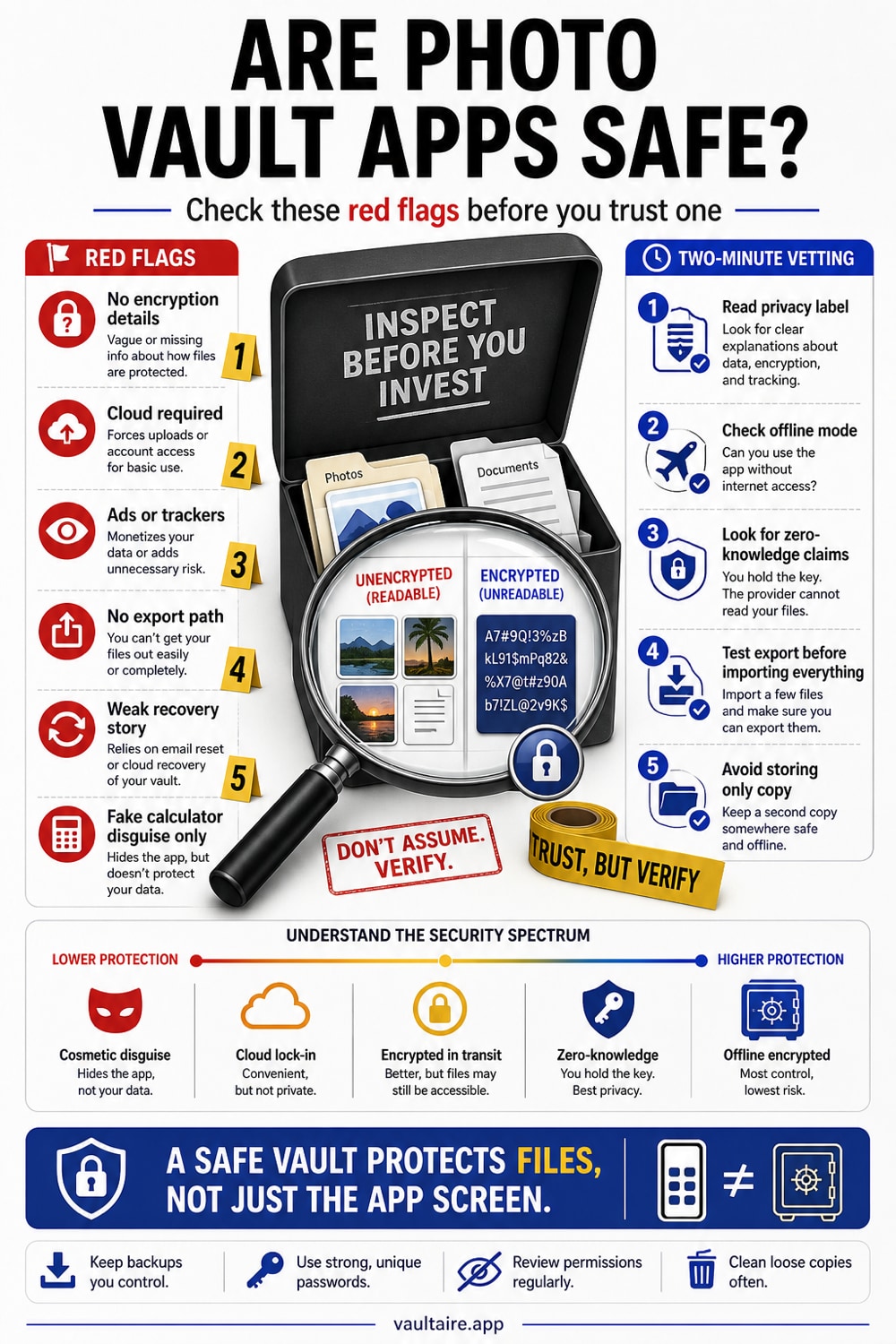
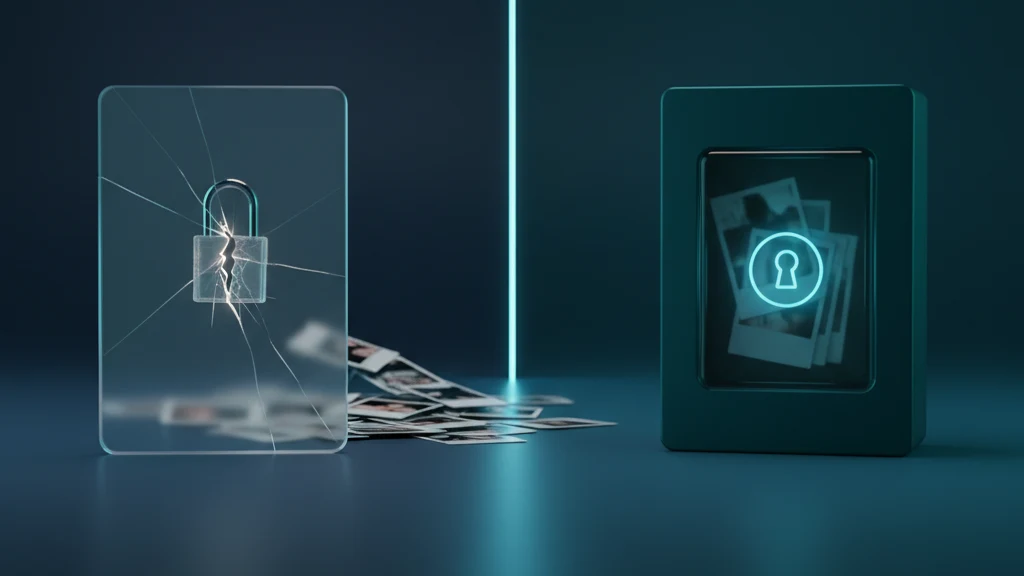
The single most important thing to understand is that hiding a photo and encrypting a photo are completely different. Many vault apps, including most calculator style apps, simply move your images into a private folder and put a PIN screen in front of it. The files themselves sit on disk in plain form. Anyone who connects the phone to a computer, runs a forensic tool, or finds the files through a backup can open them without ever entering the PIN.
Real encryption scrambles the photo into unreadable data using a key. Without that key, the file is useless even to someone holding the raw storage. When an app says zero knowledge or end to end encryption, it means the key is derived from your secret and never leaves your device, so not even the app maker can see your photos. That is the property you are actually paying for.
Red flags that a vault app is not safe
Watch for apps that only ever mention a PIN, password, or Face ID and never the word encryption. Be wary of free vault apps stuffed with ads, since the business model is often your data. Check whether the app needs an account or an internet connection to open your own photos, which suggests your library is being uploaded somewhere.
Look closely at the App Store privacy label. If a secrecy app reports that it collects data linked to your identity, that contradicts its entire purpose. History is full of vault apps that leaked photos, stored them in public cloud buckets, or were quietly pulled for harvesting user data. A vault is only as trustworthy as what it does when you are not looking.
The calculator vault trap
Calculator vault apps disguise themselves as a working calculator and reveal a hidden gallery when you enter a code. The disguise can be useful, but disguise is not security. Most of these apps still store your photos unencrypted behind the fake calculator, so the protection is purely visual. Worse, the disguise is well known, and anyone who suspects it can search for the exact app and defeat it in seconds.
A disguise is a fine bonus on top of real encryption, but it is dangerous as a substitute for it. If you like the hidden in plain sight idea, choose an app that genuinely encrypts the contents and happens to be discreet, rather than one that only looks locked.
How to vet a photo vault app in two minutes
Start with the App Store page. Search the description for end to end or zero knowledge encryption, and read the App Privacy section to see what the developer collects. Open the privacy policy and confirm it says your photos are encrypted on device and never readable by the company. Then install the app, add a throwaway image, enable Airplane Mode, and confirm the vault still opens. If it cannot work offline, your photos are probably leaving the phone.
Finally, check how the vault unlocks. If it uses your phone passcode, then anyone who can unlock your phone can open the vault. A separate app credential creates another access boundary. In Vaultaire, your pattern derives a vault key that authenticates the encrypted index and unwraps a random master key for file encryption. That protects copied storage, but an unlocked or compromised device remains inside the trust model.
Related reading:
- Best vault app for iPhone: 7 tested
- Are calculator vault apps safe
- Do gallery lock apps actually protect your photos?
- App to hide pictures: 5 types graded D to A
- Zero-knowledge encryption explained
- My kid found my private photos on my phone
- Forgot your photo vault password
Sources
- Apple Support: Privacy and security on the App Store (App Privacy labels)
- Apple Platform Security: Data protection and encryption overview
- Apple Support: Use Face ID and the Hidden album in Photos
Frequently asked questions
Are calculator vault apps safe?
Usually not in the way people think. Most calculator vault apps hide photos behind a fake calculator but do not encrypt them, so the files can be recovered without the code. The disguise is only safe if it sits on top of real encryption.
How can I tell if a photo vault app encrypts my photos?
Look for the words end to end or zero knowledge encryption in the App Store description and privacy policy. If the app only mentions a PIN, password, or Face ID, it is hiding photos rather than encrypting them.
Are free photo vault apps safe?
Some are, but free vault apps that rely on ads or that ask for an account and internet access deserve extra scrutiny, because the business model may be your data. Check the App Store privacy label to see what the app collects.
What makes a photo vault app actually secure?
Look for on-device authenticated encryption, separation between credential-derived and random content keys, no provider-held plaintext decryption key, and a documented recovery and metadata model. Vaultaire uses a separate pattern credential but still includes the client, iOS, Keychain, and unlocked device in its trust boundary.
How susceptible are hidden photo vaults on iOS?
Encryption is the first test, not the whole answer. A PIN-only app may leave readable files behind its interface. Authenticated encryption can protect copied storage, but credential strength, content-key custody, recovery, metadata, backups, device state, and implementation quality determine the rest. Ask whether the app encrypts, then inspect the complete key and recovery design.