

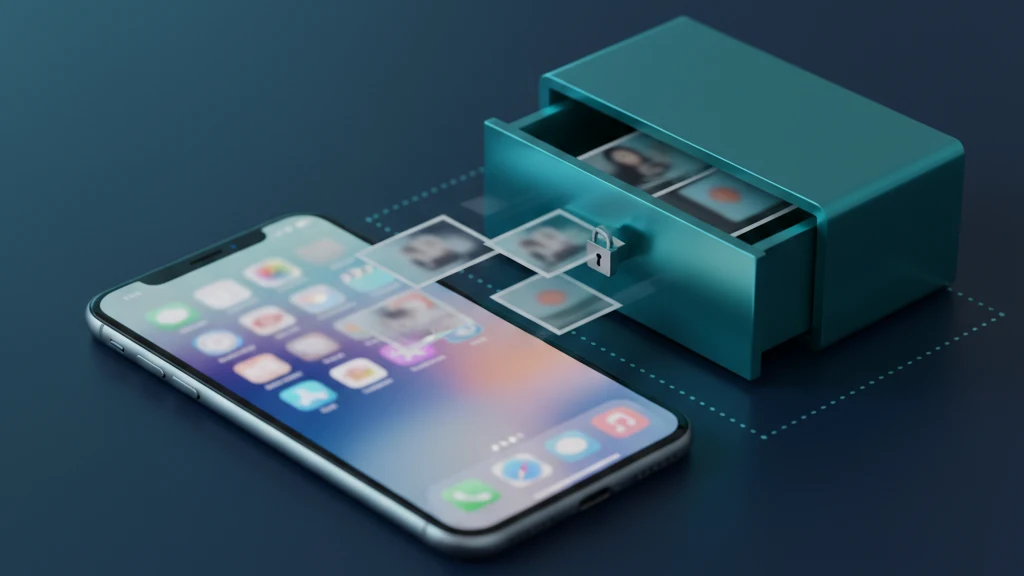
Como guardar fotografias íntimas em segurança no iPhone
As fotografias íntimas são a parte da biblioteca de câmara que mais precisa de manter privada, e o local onde a maioria das pessoas as guarda — o álbum Ocultos — é exatamente onde uma pessoa curiosa sabe que deve procurar. Guardá-las em segurança é menos sobre escondê-las e mais sobre colocá-las num local que permanece ilegível mesmo quando o telemóvel está desbloqueado nas mãos de outra pessoa.
O lugar mais seguro para fotografias íntimas no iPhone é um cofre encriptado com o seu próprio padrão de desbloqueio separado, não o álbum Ocultos. O álbum Ocultos pode ser bloqueado com Face ID, mas as fotografias não são encriptadas, estão incluídas nas cópias de segurança e qualquer pessoa com o telemóvel desbloqueado consegue geralmente abri-lo. O iCloud Fotografias copia discretamente a biblioteca de câmara para todos os dispositivos da conta, e um Álbum Partilhado pode continuar a mostrar novas fotografias a pessoas que já não quer que as vejam. Para guardar fotografias íntimas corretamente: desative os caminhos de sincronização que as expõem, mova as fotografias para um cofre encriptado, elimine os originais juntamente com quaisquer cópias no álbum Apagado, Mensagens e cópias de segurança antigas, e partilhe através de uma partilha Vaultaire revogável em vez de um ficheiro permanente. Assim que as fotografias existirem apenas dentro do cofre, quem pegar no telemóvel continua a precisar do padrão do cofre para as ver.
Porque é que o álbum Ocultos não é suficiente
O álbum Ocultos parece a resposta óbvia, e para uma captura de ecrã avulsa é suficiente. Mas foi criado para reduzir a desordem, não para proteger fotografias íntimas. Desde o iOS 16 pode ser bloqueado com Face ID, mas as fotografias no seu interior não são encriptadas, ficam na mesma biblioteca que tudo o resto e são incluídas quando o telemóvel faz uma cópia de segurança para o iCloud ou para um computador.
É também o primeiro lugar que qualquer pessoa curiosa vai verificar, porque toda a gente sabe que existe. Passe o telemóvel para mostrar uma fotografia, ou deixe-o desbloqueado em cima de uma mesa, e o álbum Ocultos está a um toque de distância em Fotografias. Bloqueá-lo com Face ID ajuda, mas um parceiro que pode pedir que o desbloqueie, ou que conhece o código de acesso, entra diretamente.
Guarde-as num cofre encriptado
Um cofre encriptado é um tipo diferente de armazenamento. Quando move uma fotografia íntima para o Vaultaire, ela é transformada em dados sem significado sem a sua chave, e só volta a ser uma imagem visível quando desbloqueia o cofre com o seu próprio padrão separado. O cofre abre independentemente do código de acesso do telemóvel, pelo que desbloquear o telemóvel não desbloqueia as fotografias.
Essa separação é o ponto central. O telemóvel pode estar desbloqueado, emprestado ou até sob coerção, e as fotografias íntimas simplesmente não estão visíveis em nenhum lado em Fotografias. Alguns cofres acrescentam um desbloqueio de emergência, de modo que um código fornecido sob pressão abre um conjunto inofensivo enquanto as fotografias reais permanecem seladas. Assim que os originais forem importados e eliminados da biblioteca de câmara, o cofre é o único lugar onde existem.
Encontre e apague as cópias esquecidas
Mover a fotografia visível é apenas metade do trabalho, porque o iPhone guarda cópias em lugares em que não pensa. O álbum Apagado retém tudo o que eliminar durante 30 dias, pelo que uma fotografia que acabou de remover ainda pode ser recuperada aí até esvaziá-la. Abra Fotografias, aceda ao álbum Apagado, desbloqueie-o e elimine as fotografias íntimas definitivamente.
Depois, observe os caminhos pelos quais a fotografia já foi parar a outro local. Se a enviou em Mensagens ou por Mail, uma cópia existe nessa conversa em ambos os dispositivos. Se o iCloud Fotografias estiver ativo, a imagem sincronizou com todos os dispositivos com sessão iniciada na conta, e desativar a sincronização depois nem sempre remove essas cópias. Um Álbum Partilhado que criou continua a mostrar as fotografias a cada subscritor até remover a fotografia ou o álbum.
As cópias de segurança são as cópias mais discretas de todas. Uma cópia de segurança feita pelo iCloud ou pelo computador enquanto as fotografias íntimas ainda estavam na biblioteca de câmara contém um instantâneo das mesmas, e esse instantâneo persiste até ser substituído por uma cópia mais recente. Depois de mover as fotografias para o cofre e limpar a biblioteca de câmara, deixe o telemóvel fazer uma nova cópia de segurança para que a antiga com os originais seja substituída.
Partilhar sem deixar uma cópia permanente
A maioria das fotografias íntimas expõe-se não pelo armazenamento, mas pela partilha. No momento em que envia uma imagem original numa mensagem, ela torna-se um ficheiro na biblioteca de câmara da outra pessoa, e não há forma de a recuperar e eliminar. Mesmo uma mensagem que desaparece pode ser capturada antes de desaparecer. O original sai do seu controlo no instante em que chega.
Partilhar a partir de um cofre encriptado funciona de forma diferente. Em vez de enviar o ficheiro, partilha uma frase que abre um cofre partilhado que pode revogar, de modo que o acesso termina quando a aplicação do destinatário vê a revogação, e não fica para sempre no dispositivo de outra pessoa. Não impede uma captura de ecrã intencional, mas muda o padrão de permanente e incontrolável para temporário e revogável, que é o padrão certo para algo tão privado.
Guias relacionados
- Fotografias ocultas no iPhone: o que o álbum Ocultos realmente faz
- As melhores aplicações de cofre de fotografias para iPhone
- Como proteger uma pasta com palavra-passe no iPhone
- Como manter fotos íntimas privadas fora das Fotografias e do iCloud
Fontes
- Suporte Apple: Ocultar fotografias no iPhone, iPad e Mac
- Suporte Apple: Proteção de Dados Avançada para o iCloud
- Suporte Apple: Recuperar fotografias e vídeos eliminados
Perguntas frequentes
O álbum Ocultos é seguro para fotografias íntimas?
Não realmente. O álbum Ocultos pode ser bloqueado com Face ID, mas as fotografias não são encriptadas, estão incluídas nas cópias de segurança e qualquer pessoa com o telemóvel desbloqueado ou o código de acesso consegue geralmente abri-lo. Para fotografias íntimas precisa de um cofre encriptado com o seu próprio padrão de desbloqueio separado.
Qual é o lugar mais seguro para guardar fotografias privadas no iPhone?
Num cofre encriptado que abre com um padrão separado do código de acesso do telemóvel. As fotografias são transformadas em dados ilegíveis e só ficam visíveis quando desbloqueia o cofre, pelo que desbloquear apenas o telemóvel não revela nada.
O iCloud guarda uma cópia das minhas fotografias íntimas?
Se o iCloud Fotografias estiver ativo, cada fotografia na biblioteca de câmara sincroniza com o iCloud e com todos os dispositivos da conta. Desativar a sincronização depois nem sempre remove as cópias já feitas. Mova as fotografias íntimas para um cofre e elimine os originais para que nunca sejam sincronizados.
Como eliminar permanentemente uma fotografia íntima?
Elimine-a da biblioteca, depois abra Fotografias, aceda ao álbum Apagado, desbloqueie-o e elimine-a de novo aí. Enquanto não esvaziar o álbum Apagado, a fotografia pode ser recuperada durante 30 dias. Remova também quaisquer cópias em Mensagens, Mail e cópias de segurança antigas.
Alguém pode ver fotografias íntimas na minha cópia de segurança?
Uma cópia de segurança feita enquanto as fotografias estavam na biblioteca de câmara contém-nas, e esse instantâneo permanece até ser substituído por uma cópia mais recente. Depois de mover as fotografias para o cofre e limpar a biblioteca de câmara, faça uma nova cópia de segurança para que a antiga seja substituída.
Como partilho uma fotografia íntima sem perder o controlo sobre ela?
Evite enviar o ficheiro original, pois torna-se uma cópia permanente em Fotografias da outra pessoa. Partilhe a partir de um cofre encriptado como um cofre partilhado revogável, para poder desativar o acesso depois; a aplicação do destinatário remove a sua cópia quando voltar a ficar online. Uma partilha revogável é muito mais segura do que uma imagem permanente.