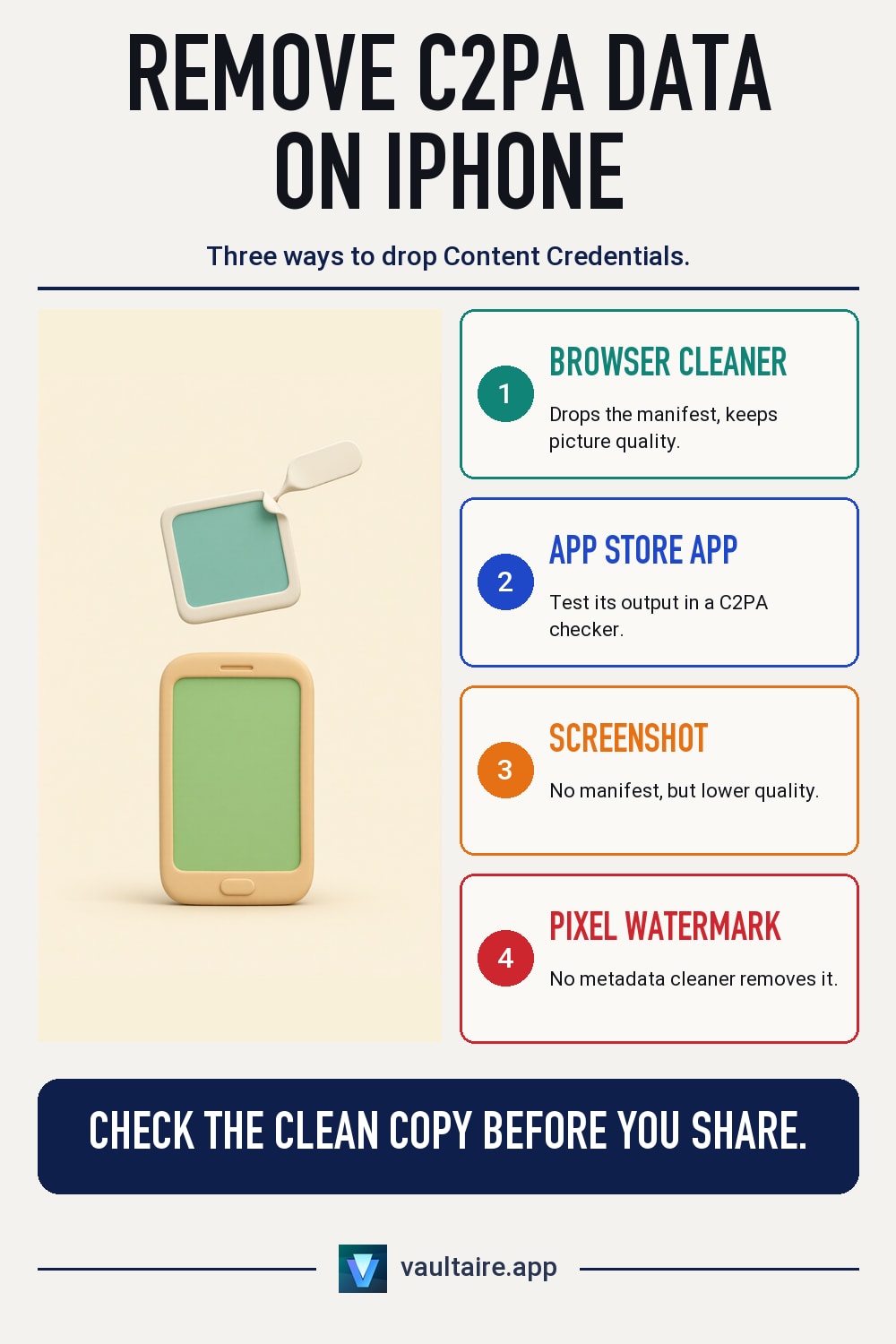
Remove C2PA Metadata on iPhone: What Works
A C2PA manifest, also called Content Credentials, is a signed record inside an image file. It can say which camera or AI tool made the picture and how it was edited. If you want a photo without that record, you have three practical options on iPhone. They differ in picture quality, in what else they remove and in who sees your photo.
Short answer
To remove C2PA metadata on iPhone, open the photo in a cleaner that deletes the manifest and leaves the image data unchanged, such as Vaultaire's free browser tool, then confirm the clean copy in a C2PA checker. A screenshot also drops the manifest but lowers quality, and no metadata cleaner removes a watermark hidden in the pixels.
Which C2PA remover to use
For a single photo, use a cleaner that removes the manifest container and leaves the pixels alone. Vaultaire's free photo metadata tool at vaultaire.app/tools/photo-metadata/ does this in Safari. It reads the file in your browser, so the photo is not uploaded, and you do not sign in. Remove metadata drops identified C2PA containers, AI source labels, XMP and IPTC provenance, EXIF and GPS. The browser then scans the clean copy again before it lets you download it.
Check first whether your photo carries a manifest at all. Most photos from the iPhone camera have no C2PA record today. Content Credentials usually come from AI image tools such as Adobe Firefly and OpenAI image generators, from Adobe editing apps, and from cameras that sign their captures, such as the Google Pixel 10. If the checker finds no manifest, there is nothing to remove, and only the EXIF and GPS fields matter for privacy.
How the options compare
App Store cleaner apps are the second option. Several now list C2PA removal next to EXIF and location removal. Before you install one, read its App Privacy section on the App Store and prefer an app that works on the photos you pick instead of asking for your whole library. Test its output in a C2PA checker, because an app that only edits EXIF can leave the manifest in place and still report success.
The third option is a screenshot or a re-export. A screenshot is a new file, so the original manifest does not carry over, and neither do the camera's EXIF fields. The cost is quality: the screenshot has the resolution of your screen and adds the screenshot's own metadata. Re-exporting from an editor that does not write C2PA also drops the manifest, but it re-encodes the picture, and an editor that supports C2PA may add a new record.
What removal cannot do
A C2PA manifest is data attached to the file, so it can be removed. A watermark hidden in the pixels is different. Some AI tools, such as Google's SynthID, mark the image itself, and that mark survives metadata removal, screenshots and most re-exports. Removing credentials also does not change the rules of the place where you post. Many platforms still ask you to label AI images, and a missing manifest proves nothing about where a photo came from.
Video and Android cases need their own plan. The browser tool reads images only: JPEG, PNG, WebP, GIF, HEIC, HEIF and AVIF, up to 25 MB and 40 megapixels. For a video, re-export it from an editor that does not support C2PA, then check the new file. A search for a metadata cleaner APK leads to Android installers, and an APK does not run on an iPhone, so use the browser tool or an App Store app instead.
Check the clean copy and keep it private
After you clean a photo, open the clean copy in a C2PA checker such as the Content Credentials Verify site and confirm that it reports no credentials. Keep the original until that check passes, because you cannot rebuild a signed manifest after you delete it. If you plan to share the photo, check the EXIF and GPS fields too, since a clean C2PA result says nothing about the location stored in the file.
If the photo is private, a clean file is only half of the job. Vaultaire is an encrypted photo vault for iPhone: you unlock it with a pattern, it encrypts files with AES-256-GCM, and there is no Vaultaire account. Vaultaire does not remove metadata on import, so clean a photo first if you want it gone. Or import the original to keep its credentials intact but out of your Photos library.
C2PA removal methods compared
| What matters | Vaultaire browser tool | App Store cleaner app | Screenshot or re-export |
|---|---|---|---|
| Removes the C2PA manifest | Yes, then scans the clean copy again | Varies by app, so test the output | Yes, the new file has none |
| Picture quality | Unchanged, no re-encoding | Varies by app | Lower, screen resolution or re-encoded |
| Where your photo goes | Stays in your browser, no upload | Depends on the app's privacy terms | Stays on your iPhone |
| EXIF and GPS | Removed | Usually removed | Camera EXIF dropped, new metadata added |
| Works on video | No, images only | Some apps | Re-export from an editor only |
Related reading:
- Remove location metadata from iPhone photos
- How to hide photos on iPhone
- Best photo vault apps for iPhone
- Make a secret folder on iPhone
Sources
Frequently Asked Questions
Is it safe to use a C2PA remover app?
It is safe when the app keeps your photos where you expect. Read the App Privacy section before you install, prefer an app that works on the photos you pick, and test the result in a C2PA checker. Vaultaire's browser tool reads the photo in your browser and does not upload it.
Does Vaultaire remove C2PA metadata?
The free Vaultaire photo metadata tool on the website removes C2PA containers, EXIF and GPS from images. The Vaultaire app does not remove metadata on import. Clean the photo with the tool first, then import the clean copy if you want it in the vault.
Can I remove C2PA from a video on iPhone?
The Vaultaire browser tool reads images only, so it cannot clean a video. Re-export the video from an editor that does not support C2PA, then open the new file in a C2PA checker to confirm it has no credentials.
How is this different from the iPhone Hidden album?
The Hidden album locks with Face ID, Touch ID or your passcode, but the photo keeps all its metadata and stays in Photos and iCloud Photos. Removing C2PA changes the file itself. A vault such as Vaultaire keeps the file encrypted behind a pattern, apart from your Photos library.