How to Share Holiday Photos Without Showing Your Camera Roll
You want to show someone the ten good pictures from the trip. What usually happens instead is that you unlock your phone, open Recents, and hand it across the table, and now everything you have photographed this year is one thumb flick away. The fix is not a privacy setting. It is deciding which photos travel, before any of them do.
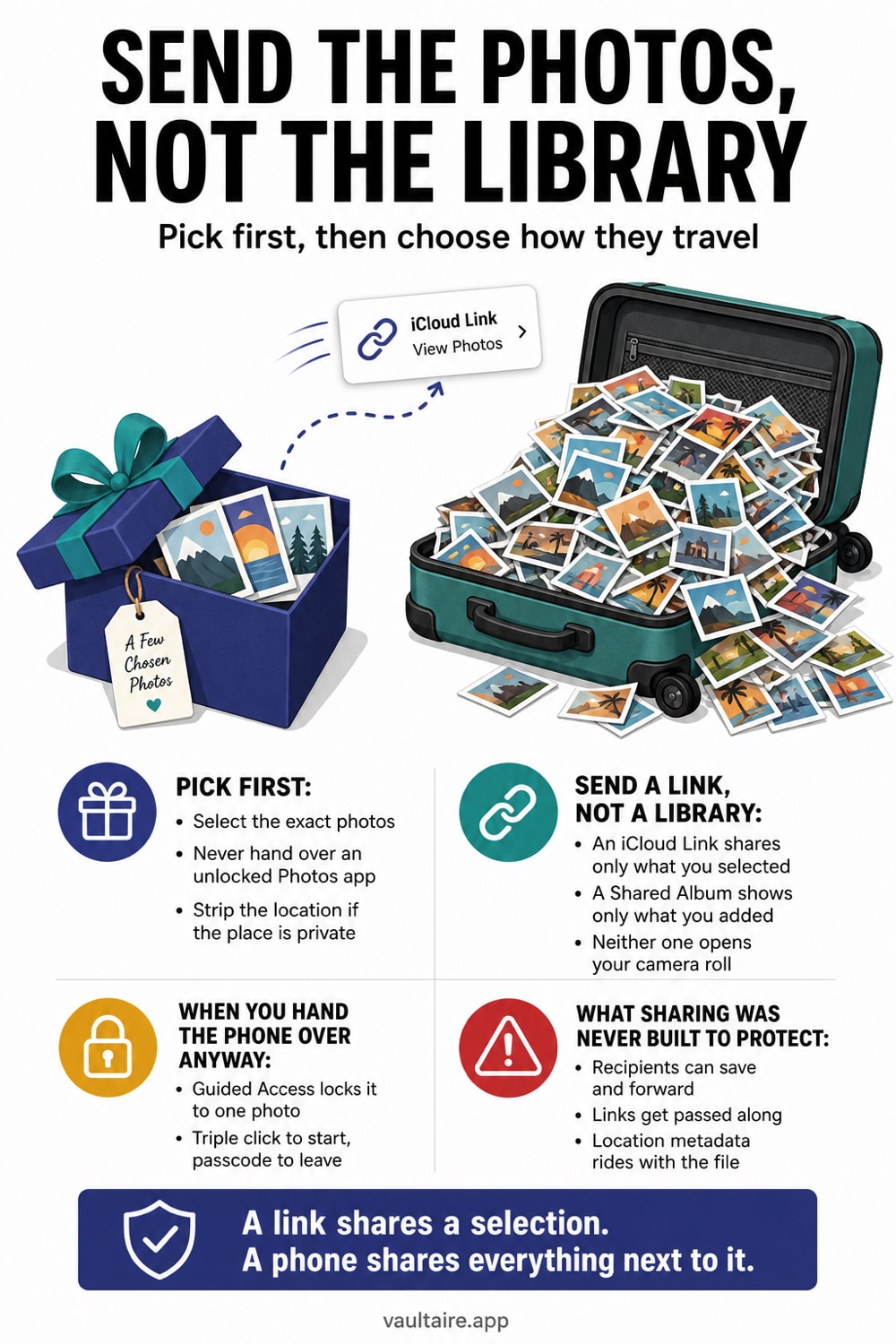
Make a temporary album in Photos holding only the trip pictures, then open that album, tap Select, tap Select All, tap the share button and choose Copy iCloud Link. Before you send it, tap Options at the top of the share sheet and turn Location off. The person you send it to sees exactly those photos in a browser, with no Apple account and no access to anything else, and the link stops working after 30 days. If you would rather show the photos in person, put the phone into Guided Access with Touch turned off so nobody can swipe past the picture on screen.
How to share holiday photos securely with friends
Securely means three separate things once a trip is over, and the method you pick decides which of them you get. Who can see the set. Who can read it on the way. What your friends can do with it after it lands. No single tool covers all three, so match the method to the group.
| Method | Who it suits | Encrypted in transit | What it still leaks |
|---|---|---|---|
| iCloud Link from a temporary album | Friends on any phone, no app needed | Yes, and Apple holds the copy for 30 days | Anyone who receives a forwarded link can open it; recipients can save every photo |
| Shared Album | A group trip where everyone adds their own shots | Yes, but never end-to-end, even with Advanced Data Protection on | The Public Website option turns it into an open link; subscribers keep what they save |
| Signal or iMessage | One or two named friends, sensitive set | Yes, end-to-end | The photos land in the recipient's own library and back up to their cloud |
| AirDrop | Friends in the room with you | Yes, end-to-end, nothing touches a server | Apple devices only, and the full-size file with its metadata arrives intact |
For most holidays the answer is the first row, because the risk is not interception. It is the swipe. The person you hand the phone to sees the trip and then keeps going, and by then the problem is not what you shared but what sat next to it. Building the album first solves that for every method in the table.
Two steps make any of them safer and take a few seconds each. Tap Options at the top of the share sheet and turn Location off, so the set does not carry the coordinates of the hotel or of your own front door. Then delete the album and end the link when the trip has run its course, rather than leaving both live for the 30 days Apple allows. Our full comparison of secure photo sharing methods covers the transports in more depth.
Nothing here survives the recipient. Once a friend has a photo, they have it. If a picture from the trip is one you would not want copied, forwarded or backed up to somebody else's cloud account, the decision to make is not which method to send it with. It is whether to put it in the set.
Pick the photos first, then pick the method
Almost every accidental overshare starts in the same place: the share sheet opened from Recents. Once you are scrolling your full library to tag the pictures you want, other people are reading over your shoulder, and one mistap sends the wrong frame. Open Photos, go to Albums, tap the plus button, choose New Album, name it something disposable like Trip, and drop the keepers into it. This takes a minute and turns every later decision into a small one, because from that point on you are working inside a container that holds nothing you would not show a stranger.
An album is a view, not a copy. The photos stay exactly where they already were in your library, they take up no extra space, and deleting the album at the end removes only the grouping. That matters because it means you can be ruthless. Make the album narrow, share it, then throw it away when the trip is over. If you find yourself hesitating over whether a particular picture belongs in the album, that hesitation is the answer, and the last section is about where photos like that should actually live.
Send a link instead of your library
Inside the album, tap Select, tap Select All, tap the share button, and choose Copy iCloud Link. Apple uploads just those photos and gives you a web address you can paste into any message. The person on the other end opens it in a browser at full resolution, downloads what they want, and needs no Apple account and no app. Apple expires the link automatically after 30 days, and you can end it earlier from the sharing entry that appears in Photos. Nothing about the link exposes the rest of your library, because the rest of your library was never part of what you uploaded.
A Shared Album is the other option and behaves differently. It is an ongoing stream that named subscribers follow, they can comment and add their own pictures, and it stays live until you delete it, which suits a group holiday better than a one time handover. The trade off is that a Shared Album can also be published as a public website, and that link then works for anyone who ever receives it. Shared Albums are also the one Photos feature excluded from Advanced Data Protection, so their contents are never end to end encrypted, whatever your account settings say. Our guide on iCloud Shared Album privacy covers what subscribers can do with your pictures once they have them.
Neither method needs the original file size. A holiday picture straight off a recent iPhone is often 4000 pixels wide and several megabytes, and nobody scrolling it on a phone screen sees the difference at half that. Sending a smaller copy is faster, uses less of the recipient's data, and gives them a file that is harder to print or crop into something you did not intend. The free image resizer sets an exact pixel width in your browser and saves the smaller copy without uploading the picture anywhere.
When you hand the phone over anyway
Sometimes the moment calls for showing rather than sending, and no link helps. The tool for that is Guided Access. Turn it on in Settings, Accessibility, Guided Access, set a passcode, then open the photo you want to show and triple click the side button. The phone is now locked into Photos and cannot be exited without your passcode, so the app switcher, Messages and everything else are closed off. On its own that is only half the job, because Guided Access does not stop swiping inside the app that is already open.
To close that gap, tap Options in the Guided Access panel before you start and turn Touch off. The screen becomes a picture rather than a browser, and the only person who can move to the next photo is you, after a triple click and the passcode. If several people want to look, sending them the link from the previous section is still better, and AirPlay to a television has the same effect without your phone ever leaving your hand. The habit worth building is simple: the device stays with you, and the photos are what travel. Our comparison of ways to share photos securely goes further into what each transport protects.
What sharing tools were never built to protect
Every method above controls which photos leave. None of them controls what happens next. Anyone who opens an iCloud Link can save a copy, and anyone subscribed to a Shared Album can do the same, after which the picture is on their device and outside your reach for good. Photos also carry the GPS coordinates of where they were taken, so a holiday set can map the hotel and a set shot before you left can map your front door. Tapping Options in the share sheet and turning Location off before you send is the one step that costs nothing and is skipped most often.
The deeper problem is the photos that were never candidates for sharing but sit one scroll from every Photos share sheet. A Vaultaire import is outside Recents, the Photos picker, and Photos albums and is protected with AES-256-GCM under a random master key. No identity account is required, Vaultaire’s encrypted CloudKit backup is on by default and can be turned off, and system backups remain separate. Free for up to 3 vaults.
Related guides
- What an iCloud Shared Album exposes
- How to share photos securely
- AirDrop privacy settings on iPhone
- What the iPhone Hidden album actually hides
- Hide photos from social media apps
Sources
Frequently Asked Questions
What is the safest way to share holiday photos with friends?
Put the trip photos into a temporary album first, then share from inside that album. For a few named friends, send them over Signal or iMessage, which are end-to-end encrypted. For a wider group, use an iCloud Link, which needs no app or Apple account on their side and expires after 30 days. Turn Location off in the share sheet Options before you send. No method stops a recipient from saving a copy.
Can someone who opens my iCloud Link see the rest of my photos?
No. An iCloud Link contains only the photos and videos you selected when you created it. It grants no access to your library, your albums or your Apple account, and it stops working on its own after 30 days. You can also end it sooner from the sharing entry that appears in the Photos app.
Does a Shared Album let subscribers browse my camera roll?
No. Subscribers see only what you add to that album. The real exposure is different: they can save any photo in it to their own device, and if the Public Website option is on, the album opens for anyone holding the link, with no invitation and no Apple account.
How do I stop someone swiping past the photo I am showing them?
Guided Access, with Touch turned off. Enable it under Settings, Accessibility, Guided Access, open the photo, triple click the side button, tap Options and switch Touch off. The image stays on screen and swipes do nothing. Guided Access without that step still lets people swipe through your library.
Do shared holiday photos still carry the location where they were taken?
Yes, unless you remove it. Tap Options at the top of the share sheet before sending and turn Location off, which strips the coordinates from that share only and leaves your originals untouched. This applies to iCloud Links, Shared Albums, AirDrop and anything else sent from the share sheet.