Free Photo Vault: What It Keeps and What You Can Recover
A free photo vault costs nothing until the day you need your photos back. Whether you can get them depends on where the app keeps its files, whether it keeps an encrypted copy off the phone, and what it asks for before it opens the vault again. Check those three things before you move anything private into it.
Short answer
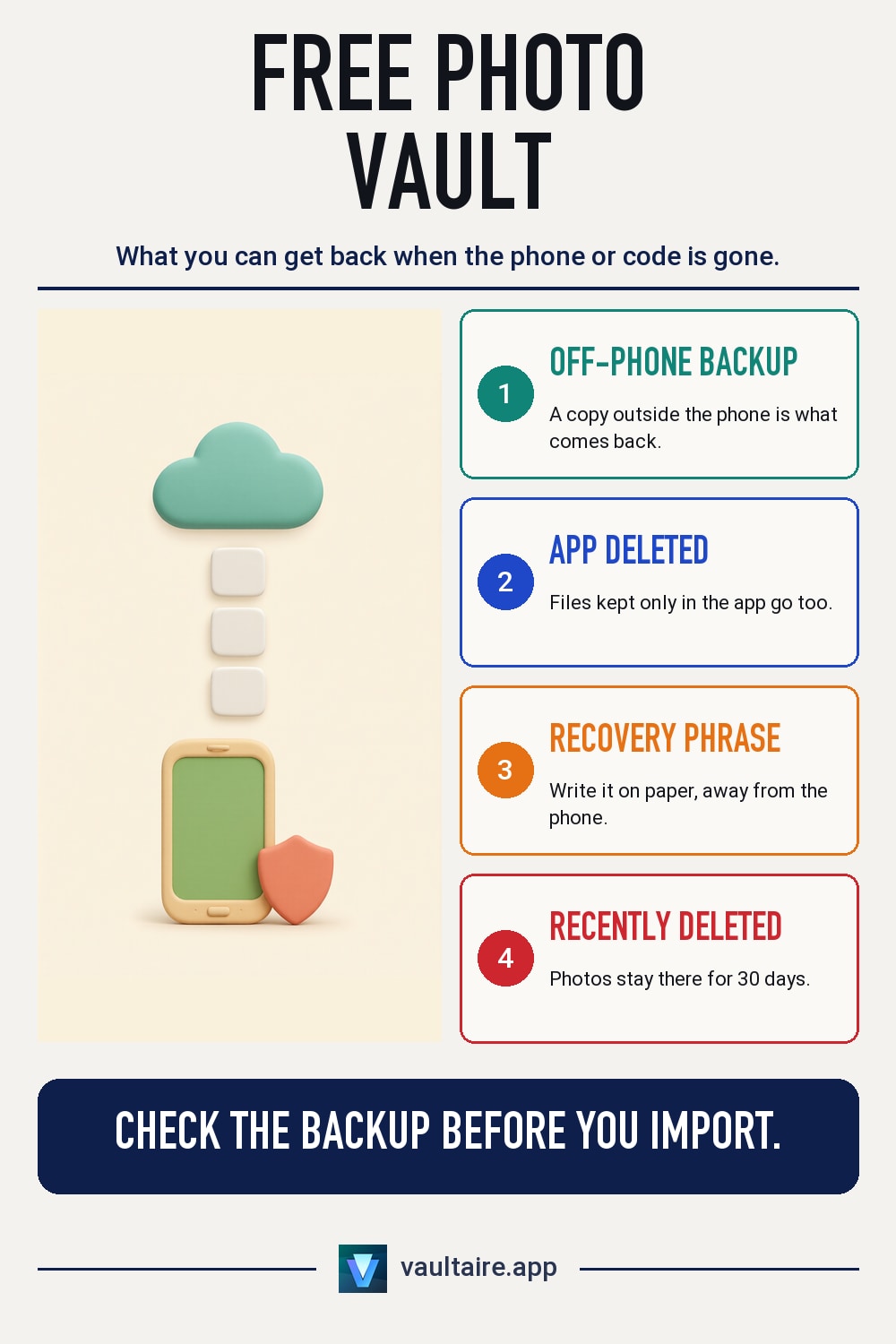
A free photo vault can give your photos back only if it keeps an encrypted copy off the phone and you still have the code or recovery phrase that opens it. Vaultaire's free tier backs up to your own iCloud by default and restores with your pattern or recovery phrase, with no account to reset.
What Can Be Recovered
Three things decide what a free vault can give back: a copy outside the phone, the secret that opens that copy, and a phone or account that can reach it. If the app backs up to a cloud you control, a lost or broken iPhone is an inconvenience, not a loss. You install the app on the new phone, sign in to the same iCloud account and open the backup with the same code.
Photos you moved into the vault in the last 30 days may also still sit in the Photos app. Most vault apps copy a photo in and then ask you to delete the original, and iPhone keeps deleted photos in the Recently Deleted album for 30 days. Open Albums, then Recently Deleted, before you assume a photo is gone. Vaultaire Free includes encrypted iCloud backup, so its vaults come back on a new phone with the pattern or the recovery phrase.
What Cannot Be Recovered
Files that lived only inside the app go with the app. When you delete an iPhone app, iOS deletes the data it kept on the phone, and a vault with no backup has nothing left to restore. The same is true when a phone is lost, wiped or stolen before the app made a copy anywhere else. Check whether a free tier includes backup at all before you import, because some apps keep it for paying users.
An encrypted vault also cannot be opened without its secret. If you forget the pattern and never saved the recovery phrase, no support team can reset it, because the app has no copy of the key. That is the point of encryption, and it is why an app with an email reset deserves suspicion: if a reset works without your secret, the company can reach your files. Vaultaire has no account, so there is no email reset.
The Safe Next Step
Before you trust a free vault with anything you would miss, check its backup. In Vaultaire, iCloud backup is on by default in both the free and the paid tier. It runs every 24 hours and waits for Wi-Fi unless you change that. The backup is encrypted before it leaves the phone, and it is stored in your own iCloud account. Apple sees record counts, sizes and times, but it does not hold the keys.
Then write down the recovery phrase on paper and keep it away from the phone. The phrase opens the vault on any iPhone if you forget the pattern, and it is the one thing that turns a forgotten pattern into a short delay. Anyone who gets your iCloud data can test pattern guesses against the backup offline, so draw a longer pattern than the minimum and do not reuse your phone's unlock shape.
If That Does Not Work
If your current free vault has no backup and you still have the phone, move your photos out while you can. Open each album in the vault, export the photos back to the Photos app or to Files, then import them into a vault that backs up. Do this before you delete the old app or reset the phone, because the old app takes its files with it.
If the phone is already gone and the app never backed up, look for other copies: an iCloud Photos library from before you moved the photos, a computer backup, or the person who sent you the pictures. If none of those exist, the photos are gone, and the fix is for next time. Vaultaire Free holds 3 vaults, 100 photos and 10 videos across all vaults, which covers the photos most people need to keep safe.
What a free photo vault can give back
| If this happens | Free vault with no backup | Vaultaire Free |
|---|---|---|
| Phone lost, broken or replaced | Files are gone with the phone | Restore from the encrypted iCloud backup with your pattern or recovery phrase |
| App deleted | Files are deleted with the app | Reinstall and restore from the iCloud backup |
| Code forgotten | Depends on the app; an email reset means the company can open the files | No reset; the recovery phrase opens the vault |
| Storage on the free tier | Varies by app | 3 vaults, 100 photos and 10 videos across all vaults |
Related reading:
- Forgot your photo vault password? Recovery options
- Hidden photos on iPhone: where they are and who can see them
- Best photo vault apps for iPhone, free and paid
- How to make a secret folder on iPhone
Sources
Frequently Asked Questions
What is the best free photo vault app?
In our test of seven iPhone photo vault apps, Vaultaire was the only free tier that encrypts the files with AES-256-GCM and asks for no account. The free tier holds 3 vaults, 100 photos and 10 videos across all vaults, and it includes encrypted iCloud backup. The full comparison is in our photo vault roundup.
Is there a free version of Photo Vault?
Most photo vault apps on the App Store, including apps named Photo Vault, are free to download and sell a subscription to lift their limits. Open the app's App Store page and read the In-App Purchases list and the App Privacy label before you import anything. Check whether backup is part of the free tier or kept for paying users.
Which photo app is 100% free?
Apple Photos is free and built into every iPhone, and since iOS 16 its Hidden album locks with Face ID, Touch ID or your passcode. It does not encrypt hidden photos under a separate key. Vaultaire's free tier costs nothing for up to 100 photos and 10 videos; Pro costs $19.99 a year with a 7-day free trial, or $39.99 once.
What is the safest app for storing private photos?
Look for an app that encrypts files under a key only you hold, has no email reset, and keeps an encrypted backup you control. Vaultaire uses AES-256-GCM, has no account, and backs up to your own iCloud in encrypted form. Anonymous usage and crash data are on by default, and one setting turns them off.