Photo Vault Website: Is There a Login for Your Vault?
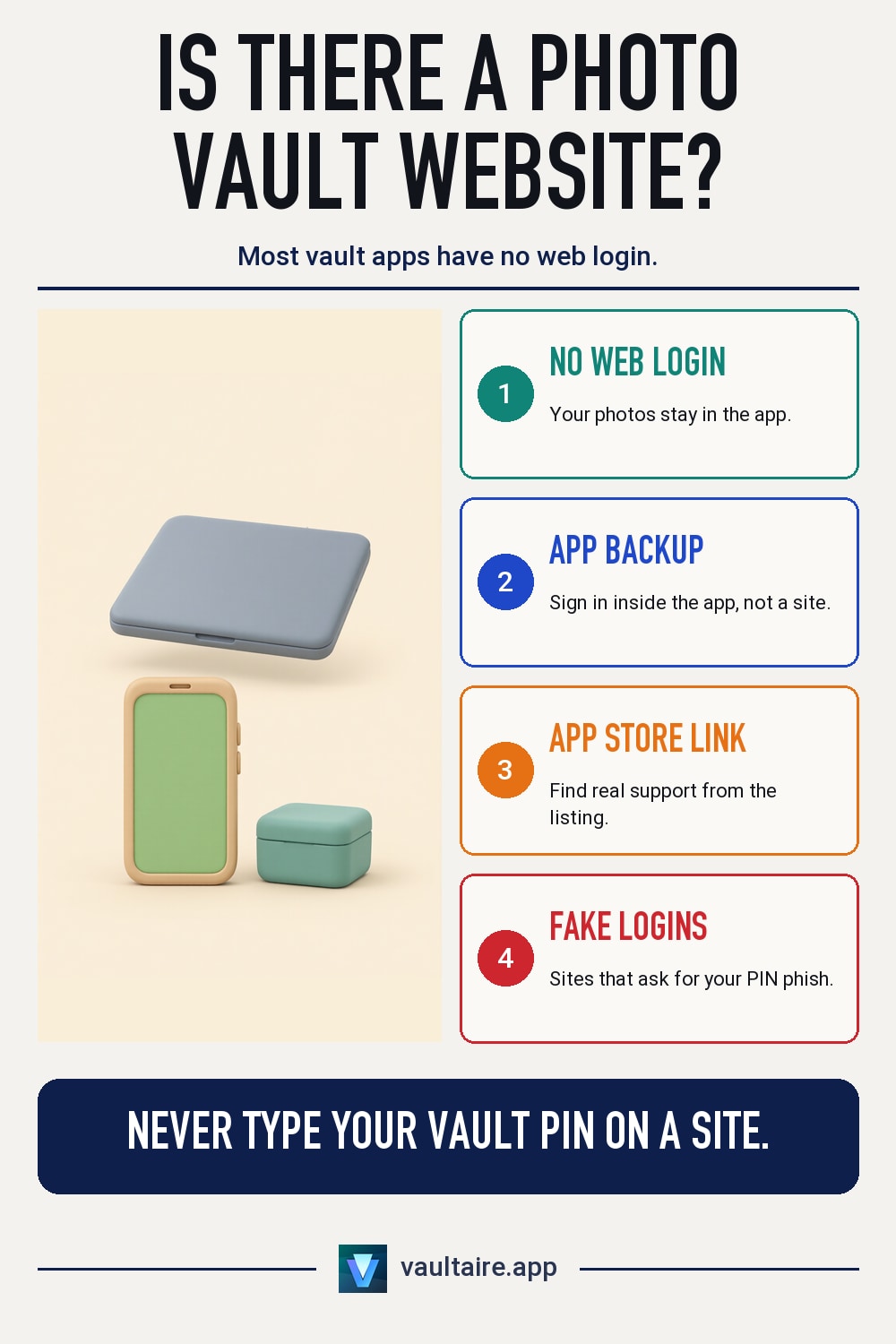
People search for a photo vault website when they want to see their vault photos on a computer, after they lose a phone, or after they forget which app they used. Most photo vault apps for iPhone have no website you can sign in to. Your photos sit inside the app on the phone, and in some apps also in a cloud backup that you reach from the app. Knowing which of these you have tells you where to look and which sites to avoid.
Short answer
Most photo vault apps for iPhone have no website and no browser login: your photos open only inside the app, and any cloud backup it offers signs in from the app's own settings. A site that asks for your vault password in a browser is not the way back to your photos, so recover them through the app, its in-app backup or your recovery phrase.
What Can Be Recovered
If you are looking for a website because you want your vault photos back, start with what still exists. Photos in a vault app stay in that app's storage on the phone until you delete the app or reset the phone. If the app is still installed, open it and unlock it there; no website is needed. Some apps also offer a cloud vault or backup, and you reach it by signing in from the app's settings on a phone, including a new phone after you reinstall the app.
Some apps do have a page in a computer browser, but it is not a login to your vault. Private Photo Vault, for example, states that there is no browser login or online photo viewer, and its WiFi Transfer feature moves files between the phone and a computer on the same network. Vaultaire works the same way: it has no account, no email sign-up and no website login. It keeps an encrypted backup in your own iCloud, turned on by default and run every 24 hours over Wi-Fi, and you restore it inside the app.
What Cannot Be Recovered
An app-only vault has no web viewer to fall back on. If the phone is lost and the app kept no backup, the photos left with the phone, and no website can bring them back. The same is true when you delete the app: on iPhone, deleting an app deletes the data it stored, and a vault's photos are that data. If the vault also encrypts your files, its company cannot open them for you either, because it does not hold your key.
Be careful with sites that promise a photo vault login or a way to view any vault online. A search for a vault website login can surface copycat pages and ads that ask for a PIN, an email password or your Apple Account password. A real app-only vault never needs any of those in a browser, so treat the request as a phishing attempt. Desktop programs that read an iPhone backup can sometimes pull files out of a vault that only hides them, but not out of one that encrypts them with a key you no longer have.
The Safe Next Step
Go to the app, not to a search result. Find the app's exact name in Settings under your name and Subscriptions, or in the App Store under your profile picture and Purchased. Then open its App Store page and use the developer's own website or App Support link. That link tells you whether the app has a cloud backup, how to sign in to it from the app, and what the developer can and cannot recover for you.
Once you have your photos back, move them into a vault you can restore without a website or an outside account. Vaultaire encrypts each file with AES-256-GCM on the iPhone and has no Vaultaire account to reset or phish. Its backup goes to your own iCloud as encrypted data, and Apple stores that data without holding the keys. Write down the vault's recovery phrase when you create the vault, because that phrase is what gets you back in on a new phone.
If That Does Not Work
If the app's own support cannot help, check the copies you may have outside the vault. Photos you imported may still sit in the Photos app, or in its Recently Deleted album, which keeps items for 30 days before it removes them. iCloud Photos on another device or on iCloud.com may also hold originals that you never deleted. Check these before you touch the vault app, because each one is a copy that does not depend on the app at all.
An older iCloud or computer backup of the whole iPhone may include the vault app's data, but restoring one replaces what is on the phone now. Make a fresh backup of the current phone first, and treat a full restore as the last step. If nothing holds a copy, the photos are gone, and the lesson is the setup step that prevents it: turn on the vault's own backup, keep its recovery phrase on paper, and keep the originals somewhere you control.
Website login, account vault or Vaultaire
| Question | Site offering a vault login | Vault app with a cloud account | Vaultaire |
|---|---|---|---|
| Where you sign in | A web page in a browser | Inside the app, with the app's account | Nowhere: there is no Vaultaire account; you draw your pattern in the app |
| Where your photos live | Unknown; a real app-only vault has no web copy | In the app, plus the developer's cloud if you turned it on | In the app, plus an encrypted backup in your own iCloud |
| Viewing on a computer | Asks for passwords, which is a phishing risk | Only if the developer offers a web viewer | No web viewer; vaults open only in the Vaultaire app |
| What gets you back in | Nothing you should trust | An email or account reset, if the app offers one | Your pattern, or the recovery phrase you saved |
Related reading:
- How to reset a photo vault password, app by app
- Where hidden photos go on iPhone
- The best photo vault apps for iPhone
- How to make a secret folder on iPhone
Sources
Frequently Asked Questions
How to store private photos safely?
Use a vault app that encrypts each file on the phone, not one that only hides files behind a PIN screen. Turn on its encrypted backup, write the recovery phrase on paper and keep it away from the phone. After you import photos, delete the originals from the Photos app and empty Recently Deleted, or the copies stay outside the vault.
How many GB to store 10,000 photos?
It depends on the format and the camera. A recent iPhone saves most photos as HEIC files of roughly 2 to 3 MB each, so 10,000 photos take about 20 to 30 GB. The same photos as JPEG files take more, and 48 MP or ProRAW photos take far more, so check what your own library uses in Settings, General, iPhone Storage, Photos.
Is private photo vault actually private?
A vault is private only as far as its design goes. Check two things: whether it encrypts the files themselves, and what its company can see or reset. An app that can restore your photos after an email reset, or show them on a website, holds a way into them. Vaultaire encrypts files on the iPhone, and its servers never receive your files or keys; anonymous usage and crash data are on by default, and you can turn them off in Settings.
How do I organize my 30 years of digital photos?
Gather everything into one library first, such as iCloud Photos or a folder on a computer, and remove duplicates; on iPhone the Photos app lists them in its Duplicates album. Sort by year, then by event, and add names and places as you go. Keep at least two backups in different places, and move the photos you want kept private into an encrypted vault instead of a shared album.