Video Hider Apps for iPhone: What to Check Before You Pick
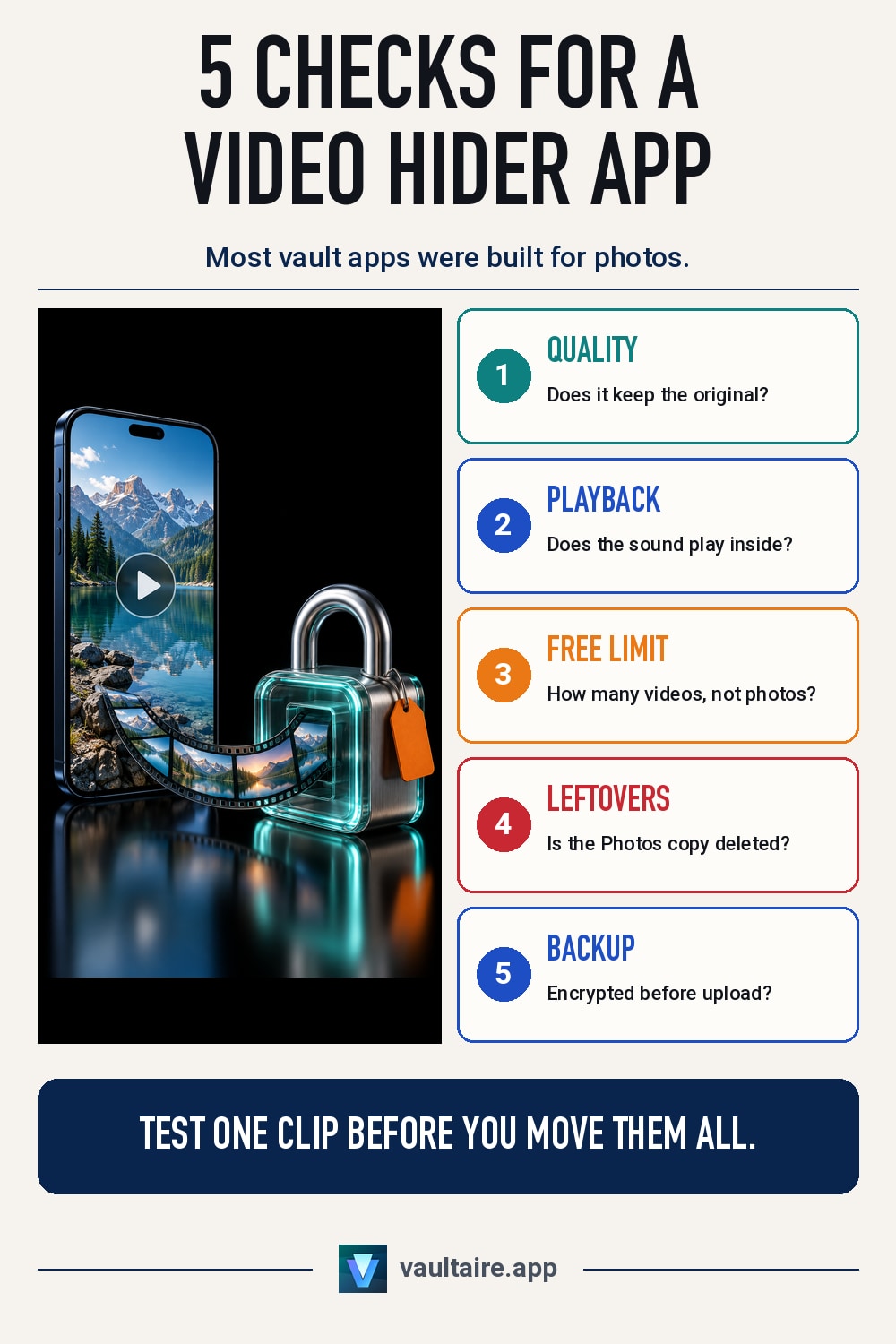
Search the App Store for a video hider and you get dozens of apps that promise to lock your clips away. Most of them were built for photos first, and video is where their weak points show: files shrunk on import, a small free limit, sound that does not play, and copies left behind in Photos. This guide lists what to check before you move private videos into any app, and how to test it with a single clip.
A good video hider app for iPhone encrypts each video on the device, plays it back inside the app with sound, and tells you whether it keeps the original quality or compresses it. It should let you import from Photos and then remind you to delete the original, because importing only makes a copy. Check the free limit for videos, which is often far lower than for photos, and check whether backups are encrypted before they leave the phone. Test one short clip before you move everything.
Why videos are harder to hide than photos
A photo is a few megabytes. A minute of 4K video recorded on a recent iPhone can take several hundred megabytes, and a long clip can pass a gigabyte. That size changes what a hider app has to do. It has to encrypt a large file without running out of memory, play it back without first writing a readable copy that it forgets to remove, and store it without filling the phone twice over. An app that handles a hundred photos well can still stall, crash or quietly drop files when you hand it a folder of long videos.
The built-in option has limits of its own. The Hidden album in Photos locks videos behind Face ID, Touch ID or your passcode, and the steps are in how to hide videos on iPhone. But hidden videos still sync through iCloud Photos, still sit in the same library, and still show to anyone who knows your passcode. A separate app makes sense when you want the videos out of the Photos library altogether, under a lock that is not your iPhone passcode.
Quality, playback and the free limit
Start with what the app does to the file. Some vault apps shrink videos on import to save space without saying so, and a clip you recorded in 4K comes back soft and blocky. Look for an import setting that names what happens, and for a way to keep the original. Then check playback: the video should play inside the app with its sound, let you scrub forward and back, and keep the right orientation. The guide to full resolution in photo vaults covers the same test for photos.
Next, read the limits before you commit. Free tiers of vault apps often cap videos much lower than photos, and some cap clip length or file size instead. Live Photos are another trap: some apps, Vaultaire included, keep only the still image, so the moving part is lost when the original is deleted. If a clip matters, import it as a regular video, or keep the Live Photo somewhere you trust until you have checked what the app saved.
What stays behind after you import
Importing a video into any hider app makes a copy. The original stays in Photos until you delete it, and a deleted video then waits in Recently Deleted for up to 30 days. If iCloud Photos is on, the original is also on every device signed in to your Apple ID until the deletion syncs. The safe order is to import, play the copy inside the app to confirm it works, then delete the original from Photos and empty it from Recently Deleted. The details of that last step are in what Recently Deleted keeps.
Sharing leaves traces too. When you send a video out of a hider app, the file goes through whatever you pick, such as Messages or AirDrop, and the other side keeps its own copy. Apple converts HEVC video to a more compatible format for devices that cannot play it, so the file the other person gets may not match the one in your app. Treat anything you share as out of the app's control.
Encryption, backup and how Vaultaire handles video
A lock screen is not the same as encryption. Some hider apps keep videos as ordinary files behind a PIN, so anyone who gets past the screen, or reads the app's files from a computer, can play them. Ask whether each video is encrypted on the device, whether the key depends on something only you know, and whether backups are encrypted before they reach the cloud. The comparison of photo vault apps for iPhone checks the main apps against those questions.
Vaultaire encrypts every file on the device with AES-256-GCM and opens with a pattern you draw, not Face ID. Files over 1 MiB are encrypted in 256 KiB chunks, and large files are supported. The default Optimized import converts eligible video to HEVC and scales anything larger than 1920 pixels on its long edge down to that size. Choose Original in Settings to keep every file exactly as imported. The free tier holds 10 videos across all vaults. Encrypted iCloud backup is on by default and runs on Wi-Fi only unless you change it, and screenshots and screen recordings of an open vault come out blank.
Related guides
- How to hide videos on iPhone
- Best photo vault apps for iPhone
- Do photo vaults keep full resolution?
- What Recently Deleted keeps on iPhone
Sources
Frequently asked questions
What is the best video hider app for iPhone?
The best one encrypts videos on the device, plays them with sound inside the app, tells you whether it compresses them, and encrypts its backups. Test any app with one short clip before you move all your videos into it.
Do video hider apps lower video quality?
Many do. Apps often convert or shrink videos on import to save space. Look for a setting that keeps the original file, and compare a test clip in the app with the copy in Photos before you delete anything.
Does hiding a video in an app delete it from Photos?
Usually not. Importing makes a copy, so the original stays in Photos. Delete it there, then delete it again from Recently Deleted, where it would otherwise stay for up to 30 days.
Is the Hidden album enough to hide videos on iPhone?
It stops a casual look, because the album locks with Face ID, Touch ID or your passcode. The videos stay in your Photos library and in iCloud Photos, so anyone who knows your passcode can still open them.