Does CarPlay Show Your Photos on the Car Screen?
You plug the phone in, the car screen wakes up, and there is your music, your map, and your friend's name on an incoming message. Everyone in the car can read it. So the question arrives fast: if the dashboard can show a message, can it show the camera roll too? A car screen is the least private display you own. It sits at eye level, it stays lit for the whole drive, and every passenger is already looking at it. It is worth knowing exactly what CarPlay puts up there and what it can never reach.
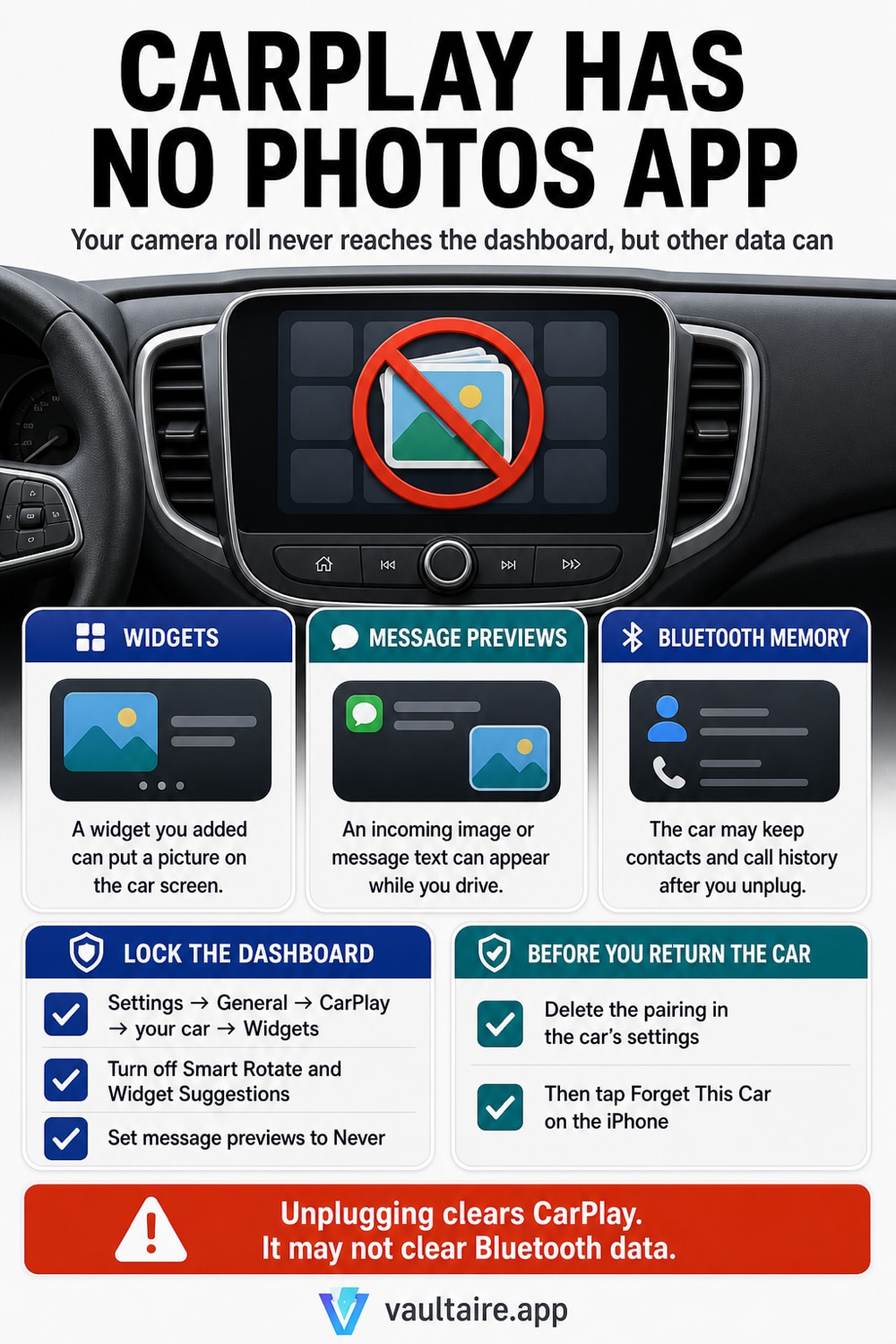
No. CarPlay has no Photos app and no file browser, so there is no way to open your camera roll on the car screen. CarPlay is a remote display: the iPhone draws the whole interface and streams it to the head unit, the car sends back your taps and knob turns, and Apple allows only a fixed set of app types to appear at all, mostly audio, messaging, calling, navigation and driving tasks. Photo browsing is not one of them. Pictures still reach the dashboard by three narrow routes. Cover art appears with whatever is playing. Notification banners show the sender and, unless you turn previews off, the start of the message. And the CarPlay dashboard has a widget area that you fill yourself, in Settings, General, CarPlay, your car, Widgets, Add Widgets. That widget screen is the one worth checking, because iPhone can rotate the stack on its own and can suggest widgets you never added. Most of what people blame on CarPlay is the car rather than CarPlay. Bluetooth pairing is a separate connection, and most head units copy your contacts and your call history into the car's own memory, where they stay after you unplug and drive off. That matters in a rental, in a shared car, and in one you are about to sell. Delete the pairing in the car's settings, then use Forget This Car on the phone. And if there are photos you never want on a second screen at all, the fix is not a CarPlay setting. It is keeping them out of the Photos library in the first place.
What CarPlay actually puts on the car screen
CarPlay is not your phone copied onto the dashboard. The iPhone renders the entire interface and streams it to the head unit, and the car sends back your taps, your knob turns and your steering wheel buttons. Nothing is installed in the car and nothing is stored there. Apple also limits which kinds of app may appear at all: audio, messaging, calling, navigation, EV charging, parking, quick food ordering and a small set of driving task categories. There is no photo browser in that list, no Files app, and no route for a passenger to go digging through your library from the passenger seat.
So the pictures you do see up there come from a short list. There is cover art for the track that is playing. There are notification banners, which show a contact name and, by default, the first line of the message. There are map thumbnails. And there is the widget area on the CarPlay dashboard, which you fill yourself. Hidden and recently deleted pictures do not feed any of those surfaces, for the same reason they stay out of search results and home screen widgets, which is worked through in whether hidden photos show up in search and widgets.
Widgets are the one place a picture can land
The CarPlay dashboard has a widget area, and you decide what goes in it. On the iPhone open Settings, tap General, tap CarPlay, then tap your car. Tap Widgets, and tap Add Widgets to see everything on offer. The same screen takes them out again. How many widget stacks you get depends on the vehicle, because a wide CarPlay screen fits more than a narrow one, so two people with identical phones can see different dashboards. Which widgets are offered depends on your iPhone and on the apps you have installed, so treat that Add Widgets list as the real answer for your car rather than any general rule.
Two switches on the same screen decide whether the dashboard stays as you left it. Smart Rotate turns the stack automatically during a drive, so a widget can surface that you were not looking at. Widget Suggestions goes further and offers widgets iPhone predicts you want, based on the time of day or where you are. Both are convenient and both mean the car screen can show something you did not deliberately put there. Turn them off for a fixed dashboard. That same predictive behaviour is why people get caught out by what shows up in iPhone photo Memories, where iOS picks the content instead of you.
Message previews are the real leak
Nobody is scrolling your camera roll at 70 miles an hour. They are reading the banner that just slid across the top of the dashboard. By default a Messages notification shows the sender and the beginning of the text, and on a screen mounted between two seats that is a broadcast to the whole car. Fix it on the phone rather than in the car. Open Settings, tap Notifications, tap Show Previews and choose Never, or choose When Unlocked if you still want previews on the handset itself. To narrow it to one app, use Settings, Notifications, Messages, Show Previews and leave every other app alone.
Sound is the other half of the problem. If Announce Notifications is on, Siri reads incoming messages aloud over the car speakers, which reaches the passengers who cannot even see the screen. It sits in Settings, Notifications, Announce Notifications, and it has its own CarPlay switch. You can also choose which apps appear on the CarPlay home screen at all, by rearranging or removing them in Settings, General, CarPlay, your car. That controls what a passenger is able to open. It does not touch notification banners, which stay under Notifications.
What the car keeps after you unplug
CarPlay itself leaves nothing behind. The interface was drawn on your phone, so unplugging ends it. Bluetooth is the connection that copies things. Most head units pull your contact list and your recent calls into the car's own storage so they can show a name when someone rings, and that copy stays in the car after you drive away. In a rental, in a shared family car, or in one you are selling, the next person opens the phonebook and reads your contacts. Delete the pairing from the car's own settings menu, then on the phone open Settings, General, CarPlay, tap the car and tap Forget This Car. Anything you would not want a stranger to scroll should not be sitting in the camera roll either, which is where the Hidden album falls short.
The wider point is that a dashboard is only one of the screens your Photos library reaches. The same library feeds the watch on your wrist, covered in hiding photos from Apple Watch, plus widgets, Memories, AirPlay to a hotel television, and the share sheet inside every app you ever granted photo access. Switching each surface off one at a time is work that never finishes. Vaultaire takes the other route. Pictures live encrypted inside the app, behind their own lock, outside the Photos library completely, so there is nothing for a widget, a Memory or a car screen to pick up in the first place.
Related guides
- What shows up in iPhone photo Memories
- Do hidden photos show up in search and widgets
- Hiding photos from Apple Watch
- How the Hidden album works on iPhone
Sources
Frequently Asked Questions
Can someone browse my photo library from the CarPlay screen?
No. CarPlay has no Photos app, no file browser and no gallery of any kind, and Apple does not allow photo browsing apps on the platform. A passenger can open whatever you left on the CarPlay home screen, which is usually music, maps and messages, and none of that reaches your camera roll. The picture risk on a dashboard is a widget you added, cover art for the current track, or an image attached to a message that arrives while you drive. If someone is holding the unlocked phone itself, that is a different problem and CarPlay plays no part in it.
Why did a photo appear on my car dashboard?
Check the widget area first. Open Settings, tap General, tap CarPlay, tap your car, then tap Widgets and look at what is in the stack. With Smart Rotate or Widget Suggestions on, the dashboard can move to a widget you never chose. The second answer is the car rather than the phone, because many head units have their own media browser that reads pictures off a USB stick or an SD card, and that screen has nothing to do with CarPlay. The third and most common answer is simply cover art for the track that is playing.
Does CarPlay copy my photos or contacts into the car?
CarPlay does not. It sends a video stream and receives your taps, so nothing of yours is stored in the head unit. Bluetooth pairing is the part that copies. Most cars pull your contacts and your call history into their own memory so they can show a name when someone rings, and that copy survives after you unplug. It is why a returned rental can still list the previous driver's contacts. Delete the pairing in the car's own settings, then use Forget This Car in Settings, General, CarPlay on the phone.
How do I stop message text from showing on the car screen?
Open Settings, tap Notifications, tap Show Previews and choose Never. Previews then stop everywhere, on the CarPlay screen and the lock screen alike, and you are still told that a message arrived. If you want it for one app only, use Settings, Notifications, Messages, Show Previews instead. Then check Announce Notifications on the same Notifications screen, because Siri reading the message aloud through the car speakers defeats the point of hiding the text. Turn off its CarPlay switch if you often drive with passengers.