Work iPhone Photo Privacy: What Your Employer Can See
A managed iPhone is one your employer or school controls through mobile device management (MDM). It might be a company phone, or your own iPhone that you signed in to a work account to get email and apps. Either way, the same question comes up when you take a personal picture on it: can work see this? This guide explains what device management can and cannot reach, how to tell which kind of management your phone has, and where your photos can still end up in front of someone at work.
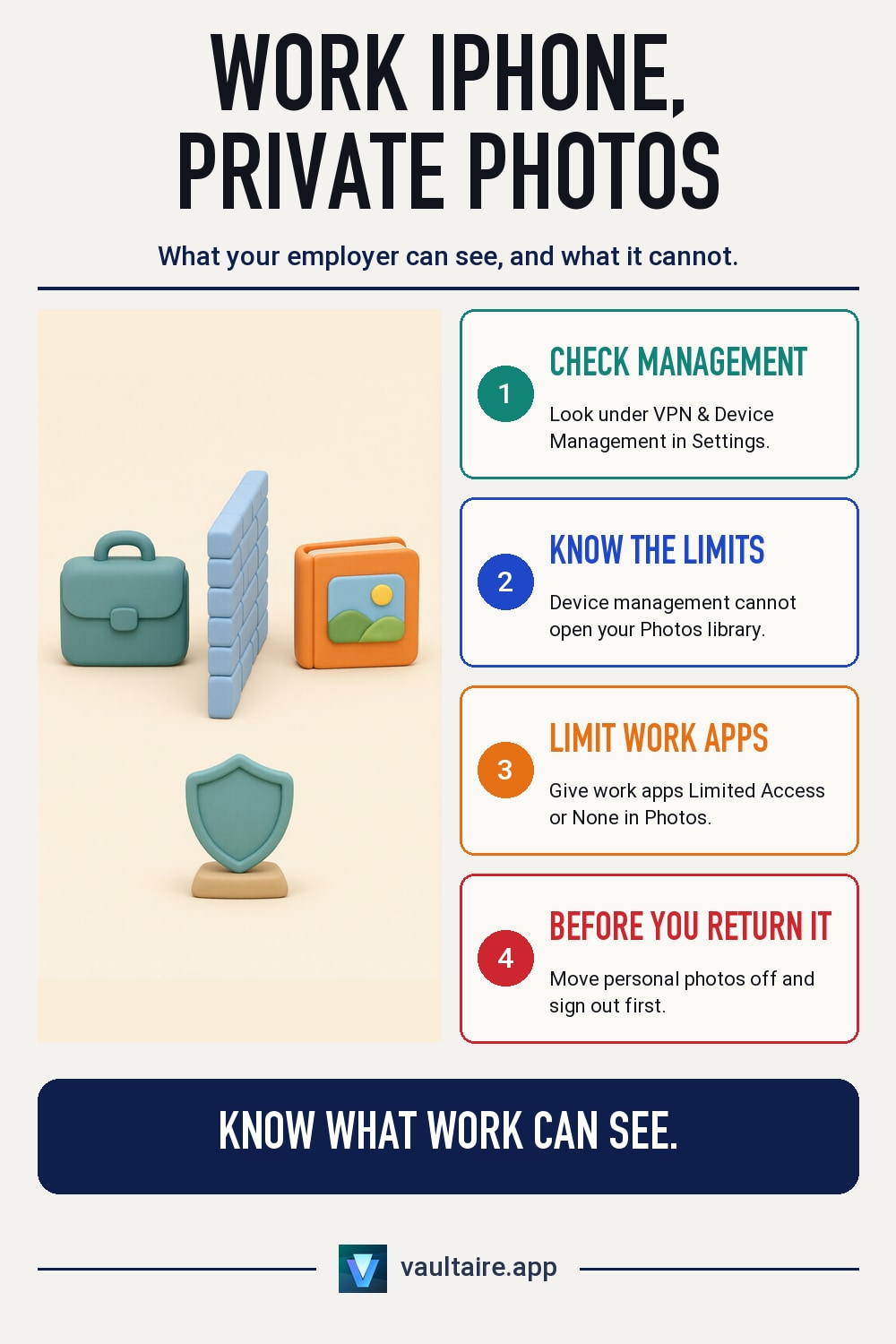
No, device management cannot open your Photos library. Apple states that the MDM framework can never access personal information such as email, messages and browser history. A company phone that is supervised gives IT more power: it can list every app, locate the phone in Lost Mode, restrict features and erase everything. Your photos are more likely to reach work through apps you allowed into Photos, a company phone you hand back, or a screen someone else sees. Check Settings, then General, then VPN & Device Management to see how your phone is managed.
What your employer can and cannot see
Device management gives an organization a set of commands, not a window into the phone. Apple's guide for businesses says that, whatever the deployment model, the MDM framework can never access personal information, including email, messages and browser history. There is no command that lists or downloads the pictures in your Photos library. What IT does get is facts about the device: its model, its iOS version, whether it has a passcode, and the work apps and accounts it installed.
How much more IT can do depends on who owns the phone. On a company iPhone that is supervised, Apple lists extra powers: an inventory of every app on the phone, Lost Mode, which shows the phone's location, restrictions on features such as iCloud services and screen capture, and a remote erase of the whole device. On your own iPhone enrolled through User Enrollment, Apple says IT cannot wipe the device, cannot see its location and cannot see your personal apps or information. It manages only the work accounts and apps.
How to tell which kind of management your iPhone has
Open Settings and go to General, then VPN & Device Management. On your own phone you usually see a work or school account, added with Sign in to Work or School Account. That is User Enrollment: your personal Apple Account keeps your iCloud data, and work data sits on a separate encrypted volume that is deleted when you leave. A configuration profile listed there instead means Device Enrollment, which gives IT a larger set of controls, including an erase of the whole phone.
A supervised iPhone says so at the top of Settings, under the search field. Apple's wording is that the iPhone is supervised and the organization can monitor your internet traffic and locate this device. Take that sentence at face value. Supervision does not open your photos, but traffic that passes through a company network, proxy or VPN can be logged, so a photo you upload to a personal cloud or chat service from that phone leaves a record of where it went.
Where your photos can still reach work
Apps are the bigger gap. A work chat, email or file app with Full Access to Photos can read every picture in your library, and it uploads whatever you attach to the company's own servers, where IT can see it. Go to Settings, then Privacy & Security, then Photos, and give each work app Limited Access, Add Photos Only or None. The work account itself matters too: photos you save inside a managed app count as work data, and IT can remove them with the app or the account.
A company phone is also not yours to keep. When you hand it back, IT can erase it and set it up for someone else, and a supervised phone can be erased even while your account is still on it. If you hand it back signed in with iCloud Photos on, anyone who opens it before the erase can browse your library. People are the last gap: a photo that appears in Memories, a widget or a shared screen during a meeting is seen by whoever is looking, with no MDM involved.
Keep personal photos private on a work iPhone
The simplest rule is to keep personal pictures off a phone your employer owns. Use your own iPhone for them, or at least keep your personal Apple Account and iCloud Photos off the company phone. On your own phone with a work account, keep iCloud Photos on your personal Apple Account, limit what work apps can open, and check VPN & Device Management after any new work app or profile arrives. Before you return a company phone, move anything personal off it, then sign out of your Apple Account.
For pictures that should stay out of sight even on your own phone, keep them out of the Photos library. Vaultaire stores photos in an encrypted vault that you open with a pattern, apart from the Photos library, so a work app with Full Access to Photos cannot read them. Files are encrypted with a random key, and your pattern unlocks that key. Screenshots and screen recordings of the phone's screen come out blank while a vault is open, and taking one locks the vault. On a supervised phone IT can still see that the app is installed, and an erase removes it with everything else.
Related guides
- How to Set Up a Second iPhone Without Your Photos
- Which Apps Can See Your iPhone Photos?
- iPhone Privacy Settings to Check
- Do Photo Vault Apps Block Screenshots? What iPhone Allows
Sources
Frequently asked questions
Can my employer see the photos on my work iPhone?
Not through device management. Apple says the MDM framework cannot access personal information. Work apps you gave Full Access to Photos, and anything you upload to company services, are another matter.
Can IT see my photos if I add a work account to my personal iPhone?
No. With User Enrollment, IT manages only the work account and its apps and data. It cannot see your personal apps or information, wipe the phone or find its location.
What does it mean when Settings says my iPhone is supervised?
The organization owns or set up the phone and has extra control. It can list all apps, restrict features, locate the phone in Lost Mode and erase it. It still cannot browse your Photos library.
Can a work app read photos I keep in Vaultaire?
No. Vaultaire keeps its photos in an encrypted vault outside the Photos library, so access to Photos does not reach them. IT on a supervised phone can see that Vaultaire is installed.