How to Recover Deleted Photos on iPhone
Most deleted iPhone photos are recoverable for 30 days. Here is exactly how to get them back, what is truly gone, and how to stop it happening again.
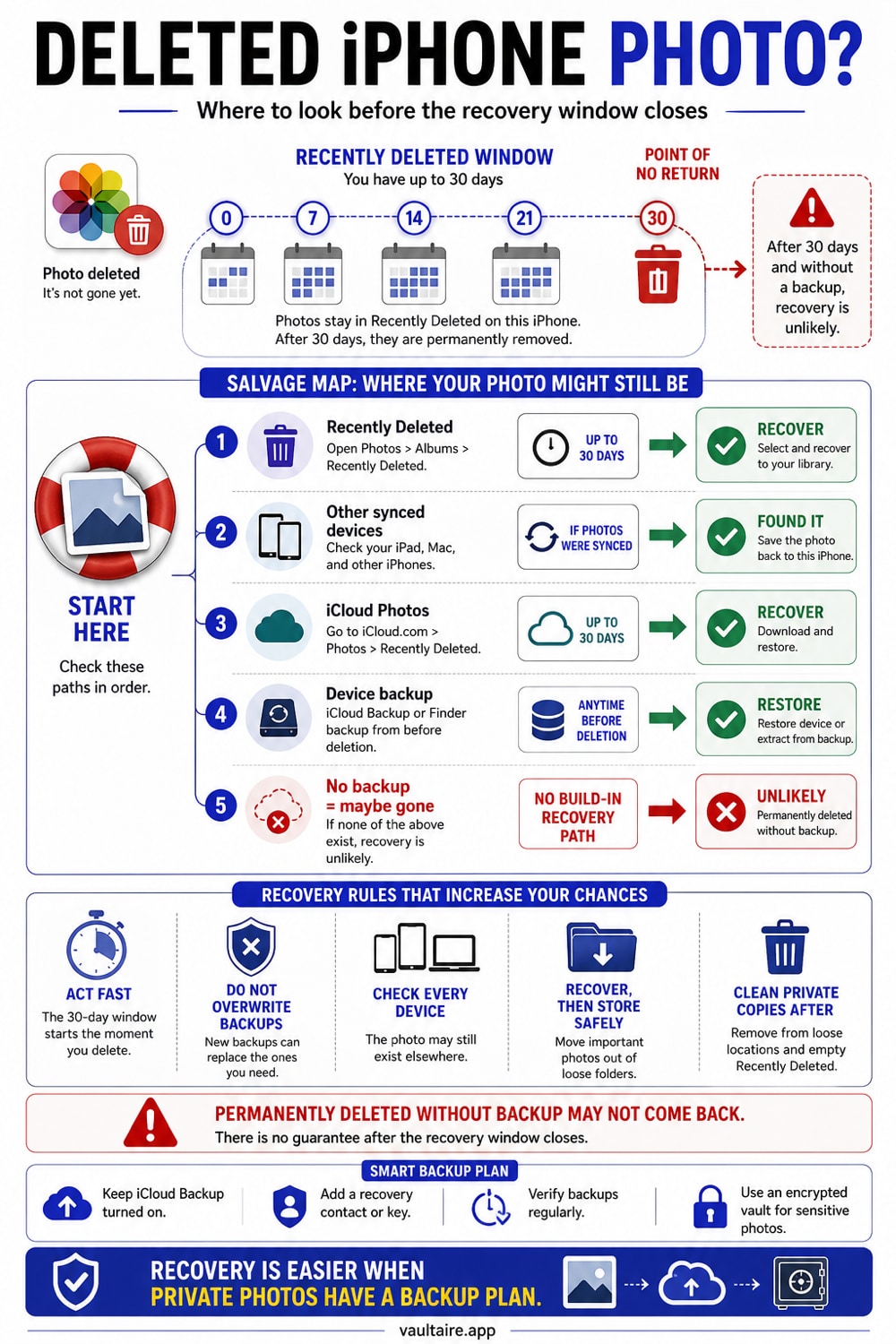
If you deleted a photo within the last 30 days, you can almost always get it back. Open the Photos app, go to the Recently Deleted album, tap Select, then tap Recover. After 30 days the file is permanently gone, and your only path is a backup you made earlier.
What you can recover, and where to look first
When you delete a photo or video on iPhone, it does not vanish right away. It moves to the Recently Deleted album, where it stays for 30 days before iOS removes it for good. That window is your best chance to get it back, and recovery takes only a few taps. Open the Photos app, scroll to the Utilities section, and choose Recently Deleted. You may be asked to unlock the album with Face ID or Touch ID, the same protection that keeps a casual snooper from browsing what you removed.
Inside the album, tap Select, choose the photos and videos you want, then tap Recover. To bring everything back at once, tap Recover All. The items return to your main library in their original spots, with their dates and albums intact. If you use iCloud Photos, the recovery syncs to every device signed in to the same Apple Account, so a photo you restore on your iPhone reappears on your iPad and Mac too.
What cannot be recovered once it is gone
After 30 days in Recently Deleted, or after you manually empty that album, iOS permanently removes the file. At that point there is no built-in way to bring it back, and that is by design. The honest answer is that a photo with no copy anywhere is usually gone for good. Apps that promise to scan your iPhone and undelete photos cannot reach into that cleared storage. What they can sometimes recover are stray copies left in a backup or a cache, not the original you deleted.
This is where expectations matter. If you never set up iCloud Photos or a computer backup, a permanently deleted photo has no source to restore from. Third-party recovery tools often ask you to connect your iPhone to a computer and pay before they show results, and the results are frequently thumbnails or low quality fragments. Treat any tool that guarantees full recovery of permanently deleted photos with caution, especially if it asks for your Apple Account password.
The safe next step after you get a photo back
Recovering a photo is a relief, but the Recently Deleted album is not a backup. It is a short grace period, nothing more. The moment you get an important photo back, give it a real home. Turn on iCloud Photos in Settings so your library syncs and a deleted item has somewhere to be restored from. If you prefer to keep copies off the cloud, connect your iPhone to a Mac or PC and copy the originals to a folder you control.
Build a simple habit so you are never one accidental swipe away from losing a memory. Review your Recently Deleted album before the 30 days run out, because a photo you deleted by mistake will quietly disappear if you forget it. Keep at least two copies of anything you cannot replace, such as a copy in iCloud and a copy on a computer or external drive. Redundancy is what turns a deleted photo into a recoverable one.
Keep private photos safe so recovery is never a panic
Some photos are worth protecting, not just backing up. Documents, family pictures, and personal moments deserve a place where a lost passcode or a borrowed phone cannot expose them. An encrypted photo vault keeps a separate, locked copy of the images that matter most, so even if the original leaves your camera roll, your protected copy stays put behind its own key.
Vaultaire stores your chosen photos in an encrypted vault on your iPhone, with the option to back the vault up so a single deleted file is never the end of the story. Because the vault is locked and encrypted, those photos are shielded from the casual snooping that the Recently Deleted Face ID prompt only partly covers. Recover what you lost, then move the keepers somewhere a delete cannot reach.
Related reading:
- Where hidden photos go on iPhone
- Best vault app for iPhone: 7 tested
- How iCloud Photos encryption works
- What to do if you forgot your photo vault password
- Secure Camera
Sources
- Apple Support: Recover deleted photos and videos
- Apple Support: Delete photos on your iPhone or iPad
- Apple Support: If you are missing photos or videos
Frequently asked questions
How long do deleted photos stay on an iPhone?
Deleted photos and videos stay in the Recently Deleted album for 30 days. During that time you can recover them with a few taps. After 30 days iOS removes them permanently, and emptying the album early deletes them right away.
Can I recover permanently deleted photos without a backup?
Usually no. Once a photo leaves Recently Deleted, there is no built-in way to restore it, and apps that claim to undelete it cannot read cleared iPhone storage. Your realistic options are an iCloud backup or a computer backup made before the photo was lost.
Do iPhone photo recovery apps actually work?
Sometimes, but not the way the ads suggest. They can occasionally surface copies left in a backup or cache, not the original you deleted. Many ask for payment or your Apple Account password before showing real results, so prefer Apple's own recovery and backup tools first.
If I recover a photo on one device, does it appear on the others?
Yes, when iCloud Photos is on. Recovering a photo on your iPhone restores it across every device signed in to the same Apple Account, so it returns to your iPad and Mac as well. Deleting works the same way, which is why a single delete can remove a photo everywhere.